

Best
Twitter Engagement
Tools for X in 2026
Published · Last updated
You post every day. Threads, single tweets, the occasional hot take. And most of it lands in silence. Two likes, one from your mom's burner account, zero replies. The content isn't bad. The problem is nobody sees it, because engagement on X is a two-way street and you're only walking one direction.
Here's what most creators figure out too late: posting is only half the job. The other half is showing up in other people's threads, adding something worth reading, and giving the algorithm a reason to put your posts in front of new people. But doing that manually, every day, for months? That's where most people burn out and quit. The right tool makes the difference between "I'll reply to people tomorrow" and actually doing it.
This guide breaks down what real X engagement looks like, gives you a repeatable framework for building it, and then compares the tools that make it sustainable. We build Ghosti, so yes, we're biased. But the framework works whether you use our tool or not.
What X Engagement Actually Is (Not Likes)
Engagement on X isn't a vanity counter. It's a signal. Specifically, it's everything that tells X's algorithm your content is worth distributing to more people.
X open-sources its For You recommendation algorithm, and creators widely observe that the model behind it appears to weigh multiple types of engagement when scoring posts, including replies, favorites, reposts, clicks, profile visits, and follows, among others. These signals tend to combine into the score that determines ranking. In practice, replies function as a meaningful signal in how content gets surfaced, not a growth hack somebody invented on a podcast.
What this means practically: when you reply to someone and people engage with that reply, you tend to generate the kinds of actions the algorithm appears designed to reward. Your reply earns its own engagement signals. It's not gaming anything. It's giving the system what it's designed to measure.
But not all engagement is equal in terms of what it does for your growth. A like is nice. A reply that makes someone tap your profile, read your bio, and hit follow? That's the engagement that compounds. Profile clicks and follows also tend to be among the signals the algorithm rewards. So the goal isn't more engagement. It's the right kind.
Why Broadcast-Only Posting Flatlines
If you only post and never reply, you're running half an engine. Most creators find that broadcast-only accounts plateau hard once they exhaust their existing network's reach. The feed rewards participation. Someone who posts regularly and replies frequently will typically outgrow someone who only posts without engaging in conversations.
The reason is structural. When you reply to a larger account's post, that reply can be discovered by followers who view the original post's thread, and the algorithm may occasionally recommend it to a wider audience if it generates engagement. Those people didn't follow you. They didn't search for you. They found your reply because they were already in that conversation. That's distribution you can't buy with more posts alone.
In practice, reply-led growth tends to compound. The more relevant conversations you join, the more profile visits you get, the more followers you gain, the more reach your own posts earn, the more replies those posts attract. It's a flywheel. But only if you actually show up consistently in other people's threads.
And that's the hard part. Finding the right threads, writing something worth reading, doing it every day, not burning out. Which is exactly the job engagement tools are supposed to solve.
The Engagement Loop: A Framework
Before picking a tool, understand the system you're building. Engagement on X breaks into four repeatable steps, and different tools cover different steps.
1. Discover the right conversations
Not every tweet is worth replying to. You're looking for posts from accounts whose followers overlap with the audience you want, on topics where you have a genuine angle, posted recently enough that your reply will actually be seen. By most accounts, replying to a mid-sized account in your niche, maybe a few times your follower count, converts better than replying to a celebrity with millions of followers where your reply drowns instantly.
Keep a mental list of accounts your ideal followers already read. Check their threads first.
2. Add genuine value in replies
The replies that earn profile clicks work as standalone posts. Lead with one specific, non-obvious sentence: a counter-take, a concrete detail from your own work, a sharp reframe. Skip bare agreement ("so true!"), empty praise, and anything that reads like you're fishing for a follow. If your reply could be swapped into any thread on any topic and still make sense, it's too generic.
A good shape: open with a claim the reader doesn't expect, back it with one concrete example, end with a line that invites a response. Give people a reason to tap your name.
3. Create original posts that invite replies back
The other side of engagement: your own posts need to pull people in. Threads that teach something specific, posts that take a stance, questions that are narrow enough to answer. Generic "what do you think?" doesn't work. "What's the one tool you dropped from your stack this year and don't miss?" does. Give people a low-friction way to respond with something real.
4. Measure the right numbers over weeks
Reply likes are nice but misleading. Many creators report that the numbers that actually predict growth are profile visits and new followers, tracked over multi-week windows in X Analytics. A reply that got few likes but sent several people to your profile did more than a witty one-liner that racked up likes but drove zero profile clicks. Review monthly. Double down on the conversation types and reply angles that moved profile visits.
Tip: A handful of considered replies a day, split across two short sessions, consistently beats a frantic burst followed by a week of silence.
Where Tools Fit in the Loop
No single tool covers every step of the engagement loop. They break into rough categories, and knowing which category you need keeps you from buying a scheduling dashboard when your actual problem is finding conversations.
AI writing agents (in-feed generation)
These generate posts, replies, and threads inside the X feed using your voice and context. They cover steps 1 and 2 of the loop directly: discovering reply opportunities and generating valuable replies. Some, like Ghosti, also handle step 3 with post generation. The key differentiator is whether the tool trains on your actual examples and voice, or produces generic output from templates.
Scheduling and management suites
Tools built for planning, queuing, and publishing content across one or multiple platforms. They cover step 3 (creating and scheduling posts) and sometimes offer analytics for step 4. Most include some AI writing, but it's usually a secondary feature, not the core product. Best for people whose bottleneck is consistency in posting cadence rather than finding conversations.
Analytics and CRM dashboards
These cover step 4: tracking what's working, who your engaged followers are, and where your growth is coming from. Some add CRM-style features like tagging followers or tracking conversations. They don't generate content or find reply opportunities, so they complement a writing tool rather than replacing one.
Lightweight AI generators
Quick, low-cost tools that generate tweets and replies, sometimes from inside X. They cover step 2 at a basic level. Usually lighter on voice training and don't include reply discovery. Good for people on a tight budget who just want AI-assisted replies without a full suite.
The question isn't "which is the best tool?" It's "which step of the loop is my actual bottleneck?" If you post consistently but your engagement is flat because you're not in enough conversations, you need reply discovery and generation, not another scheduling queue.
Why Ghosti Fits the Engagement Loop
We built Ghosti specifically around the engagement loop, which is why it covers the steps that scheduling tools skip.
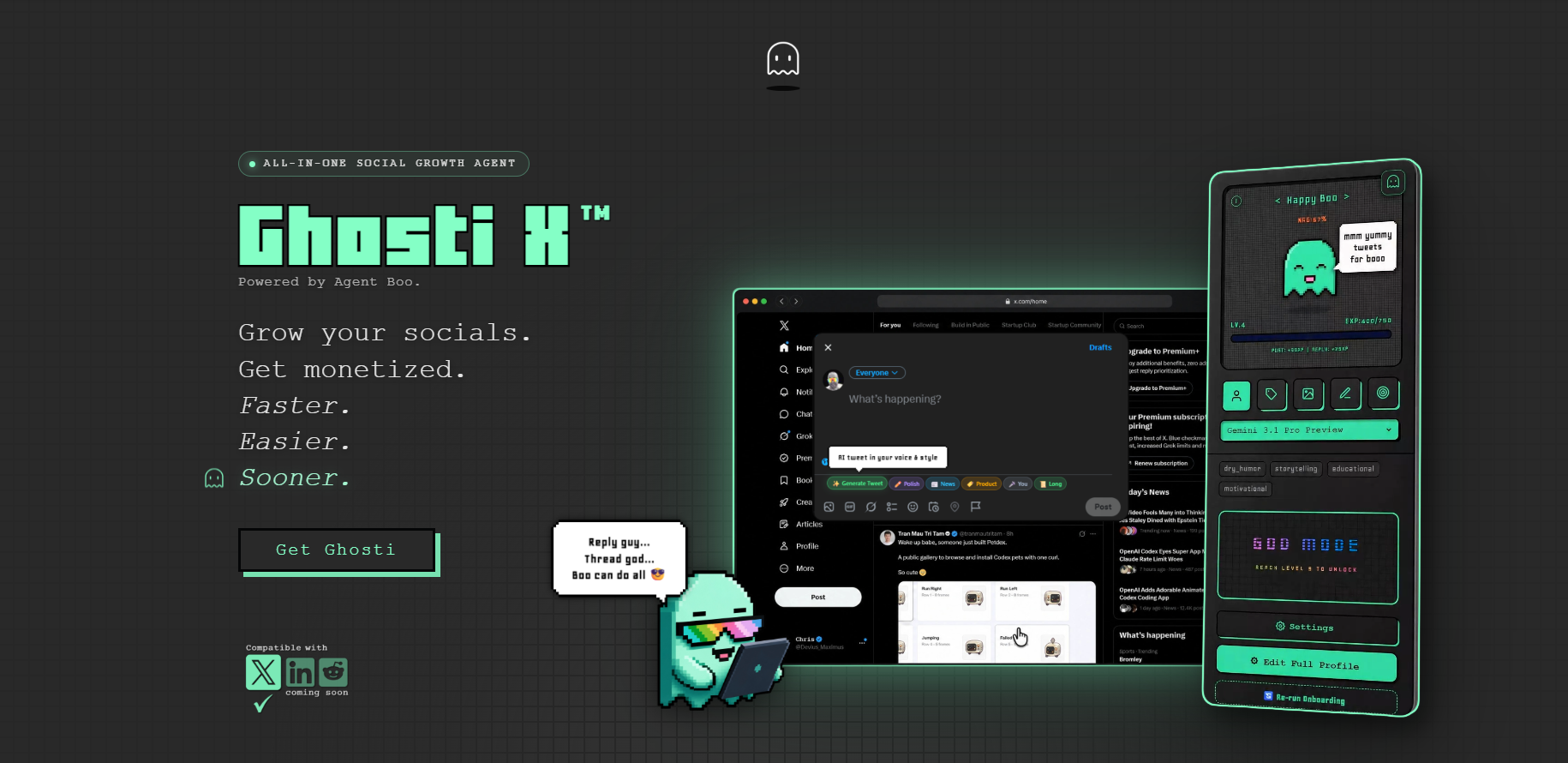
Step 1, Discovery: Hunt Mode highlights tweets worth replying to inside your X feed. Instead of scrolling aimlessly hoping to stumble on a good thread, you focus your reply time on conversations that match your niche. It turns "I should reply to people" into a concrete list of opportunities.
Step 2, Valuable replies: Reply Guy reads the context of the tweet you're replying to and generates a reply in your trained voice. Not a generic "great post!" but a contextual, on-voice response you review and refine before posting. The voice comes from Ghost DNA, which learns from your examples, tone, rules, and context, so the output sounds like you wrote it, not like ChatGPT wrote it.
Step 3, Original content: Ghosti generates full standalone posts inside the X feed. No switching to a separate dashboard, no copy-pasting. You open the compose box, hit generate, review, and post.
Step 4, Consistency: Boo's XP system tracks your posting activity, turning the daily grind into a visible progress streak. Your activity earns XP, Boo evolves as you stay consistent, and the accountability loop keeps you from skipping days. It's a Tamagotchi for your content habit.
The license runs $18.99/month or $49.99/year, and the AI underneath it is yours: Ghosti is BYOK, so you plug in your own key from Gemini, OpenAI, Anthropic, or OpenRouter, pick whatever model you rate, and pay that provider wholesale instead of buying someone else's credit bundle. No daily generation cap, no vendor deciding your quality ceiling.
Have a look at the Ghosti homepage and see whether it fits the way you actually work.
Ghosti vs SuperX vs Tweet AI vs Teract: side by side
Here is how Ghosti lines up against SuperX and Tweet AI and Teract on the dimensions that matter for reply-led growth on X. Every competitor fact below comes from the tool's own official site.
| Feature | Ghosti X | SuperX | Tweet AI | Teract |
|---|---|---|---|---|
| Type | Live generation agent | In-X engagement & scheduling suite | AI tweet & reply generator | AI reputation coach (8 platforms) |
| Writes in your voice | ✓ Yes, trained on your examples | ✓ | ✓ | ✓ |
| Generates replies for reply-led growth | ✓ Yes | ✓ | ✓ | ✓ |
| Builds full threads | ✓ Yes, Thread Studio | ✓ | ✓ | — |
| Finds tweets worth replying to | ✓ Yes, Hunt Mode | ✓ | — | ✓ |
| Works inside the X feed | ✓ Yes, native in the feed | ✓ | ✓ | ✓ |
| BYOK — bring your own AI key | ✓ Yes | — | — | — |
| Starting price | $18.99/month | $39 / month (Advanced) | Free plan; paid from $8.25 / month (billed yearly) | Free (10 gens); Creator $14.99/mo; Pro $29.99/mo |
SuperX is an in-X engagement and scheduling suite that writes in your voice, generates replies and builds threads. Pricing: $39 / month (Advanced).

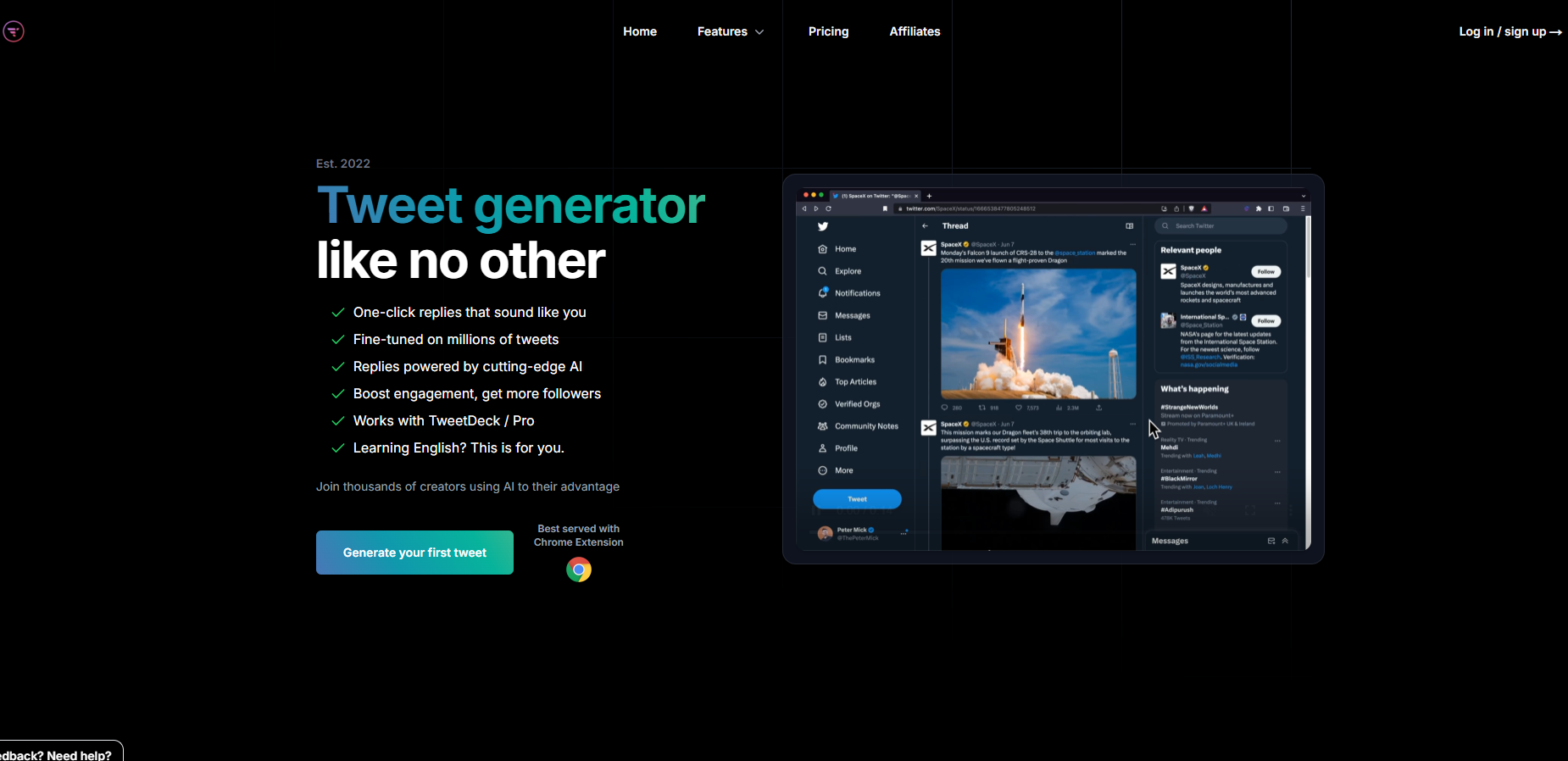
Tweet AI is an AI tweet and reply generator that writes in your voice, generates replies and builds threads. Pricing: Free plan; paid from $8.25 / month (billed yearly).
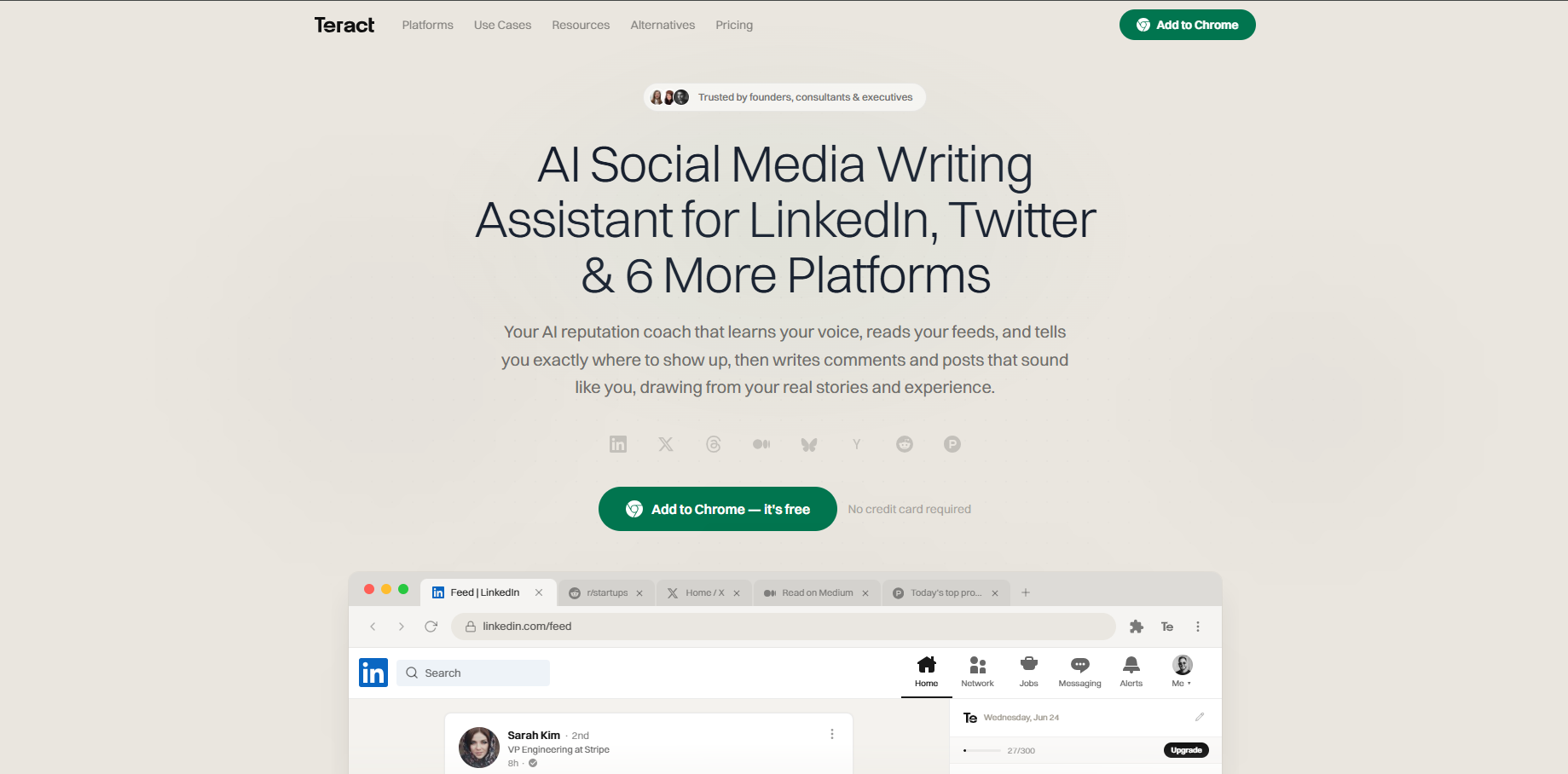
Teract is an AI reputation coach covering eight platforms that writes in your voice and generates replies. Pricing: Free (10 gens); Creator $14.99/mo; Pro $29.99/mo.
The takeaway: Ghosti is the pick for creators who want posts, threads, and replies that sound like them, generated in one click right inside X, running on their own AI key.
Building Your Daily Engagement System
Tools help, but the system is what makes engagement compound. Here's a repeatable daily structure that most creators can actually sustain.
- Morning window (a short session). Open X. Check your short list of accounts. Scan for fresh posts where you have a real angle. Write several replies that could stand alone as their own posts. If you're using Ghosti, Hunt Mode surfaces the best targets and Reply Guy handles the first draft. Review, refine, post.
- Create one original post or thread. Something that takes a stance, teaches a specific thing, or shares a real update. Ghosti's post generator can get you from blank page to publishable draft quickly. Make it something people can reply to, not just like.
- End-of-day window (a short session). Reply to anyone who engaged with your morning content. Check for new conversations on your short list. Add several more replies. The second window catches a different timezone's active hours.
- Weekly review. Check X Analytics for profile visits and new followers. Note which reply threads and post topics drove the most profile clicks. Adjust your short list: drop accounts that never convert, add new ones in your niche.
That's roughly half an hour a day and a handful of considered replies. The number matters less than doing it every day for weeks. Consistency is the multiplier. A few strong replies daily for a month beats a large batch in one frantic session.
Tip: Anchor your reply windows to existing habits, like morning coffee or your end-of-day shutdown routine. Systems that attach to habits survive busy weeks. Systems that require willpower don't.
What Separates Good Engagement Tools
When you're comparing the best Twitter engagement tools, these are the dimensions that actually matter for daily use.
Voice quality. Does the AI output sound like you or like a generic motivational poster? Tools that train on your actual examples, writing style, and rules produce replies and posts you'd actually post. Tools that rely on "viral templates" produce content that sounds like everyone else's AI content. If you have to rewrite every output from scratch, the tool is adding friction, not removing it.
Where it works. An in-feed tool that generates content right where you're already scrolling eliminates the tab-switching friction that kills daily habits. A separate dashboard works fine for scheduled posts, but for real-time replies and engagement, moving between apps adds enough friction that most people stop doing it within a week.
Reply discovery. The hardest part of the engagement loop is finding the right conversations. A tool that surfaces reply-worthy tweets in your niche is solving the bottleneck most people actually have. A tool that only writes content when you already know what to reply to is solving a smaller problem.
AI model flexibility. Some tools let you choose which AI model powers the output, while others lock you into a single model. Flexibility in model choice lets you optimize for the writing style and quality you prefer.
Cost to quality ratio. The most important metric isn't price per month, it's price per good piece of content. A lower-cost tool that produces output you actually post is a better investment than an expensive suite whose output you rewrite from scratch every time.
Key takeaways
- Creators widely observe that X's algorithm tends to reward replies as a ranking signal, so a reply habit leans into what the system appears to measure, not gaming it.
- The engagement loop is discover, reply, create, measure. Different tools cover different steps. Match the tool to your actual bottleneck.
- Ghosti covers the hardest steps: Hunt Mode surfaces reply-worthy tweets and Reply Guy generates voice-trained replies, all inside the X feed.
- A handful of considered replies a day, consistently, outperforms any burst-and-quit approach. Anchor it to an existing habit.
- Track profile visits and follows over multi-week windows, not reply likes. That's the number that tends to predict real growth.
Frequently asked questions
How many replies a day do I need to grow on Twitter (X)?
Most creators find that a handful of thoughtful, on-topic replies per day, split across two short sessions, is enough to see consistent growth in profile visits and followers over a few weeks. The number matters less than consistency. Daily for a month beats a burst in one session and then silence.
Do Twitter engagement tools get your account suspended?
Creators widely observe that X tends to enforce its <a href="https://help.x.com/en/rules-and-policies/x-automation">automation policy</a> against unsolicited automated mentions and scripting outside the API. In practice, tools that work as Chrome extensions and let you review before posting operate differently from mass-automation scripts. No tool can eliminate the possibility of account action, so always review what you post and avoid spammy, duplicative patterns.
What's the difference between BYOK and bundled AI in engagement tools?
BYOK (bring your own key) means you plug in your own API key from your preferred AI provider, pick the model, and pay that provider directly. The engagement tool itself typically doesn't meter your generations by plan tier. Bundled AI means the tool controls the model and often meters it by daily credits or plan tier. BYOK usually costs less per generation and gives you model choice.
Can AI engagement tools write replies that sound like me?
It depends on the tool. Some generate from generic templates and produce output that sounds like everyone else's AI. Some tools offer voice-training features that aim to learn from your examples and writing style, so the output sounds closer to your natural voice. The difference is whether you'd actually post the output as-is or need to rewrite it.
Sources
- X open-source recommendation algorithm (For You feed) (accessed July 15, 2026)
- X automation rules and policies (accessed July 15, 2026)
- SuperX (official site) (accessed July 15, 2026)
- Tweet AI (official site) (accessed July 15, 2026)
- Teract (official site) (accessed July 15, 2026)
Editorially reviewed by Chris, Ghosti Founder on .