

Best AI
Reply Chrome
Extensions for X in 2026
Published · Last updated
Search "ai reply chrome extension" on the Chrome Web Store and you'll hit a wall of listings. Dozens of them. Most have a handful of reviews, vague descriptions, and screenshots that all look the same. A few promise "AI-powered replies in one click." Some advertise mass follow and unfollow features in the same breath. Good luck figuring out which ones actually produce replies worth posting.
That's the real problem. Not finding an extension. Finding one that generates replies people stop to read, that sounds like you instead of a template, and that doesn't quietly burn through a capped daily allowance or require handing over your X credentials. The difference between a useful reply extension and a risky one isn't obvious from a store listing. So here's what to actually look for, why replies matter more than most people think, and how the notable extensions stack up.
Why replies are worth an extension
Replies aren't a side feature on X. They're a core signal in how the platform decides what to show people.
X open-sources its For You recommendation algorithm, and the ranking model explicitly predicts the probability of a reply, alongside reposts, quotes, dwell time, profile clicks, and follows. Those predictions get combined into the score that determines where a post lands in the feed. So building a reply habit isn't a growth hack. It's leaning into something X's own code measures.
But here's where it gets interesting. The same model also predicts dwell time and profile clicks. A reply that's genuinely worth reading, something specific, a counter-take, a concrete detail, gives people a reason to stop scrolling, tap your name, and check out your profile. Generic "great post" replies don't do that. Neither do obvious AI-generated one-liners that read like they came from a prompt template.
That's the tension with most AI reply extensions. They solve the speed problem (generating a reply fast) but not the quality problem (generating a reply someone actually stops to read). And if the reply doesn't earn a profile visit, it didn't do its job.
What to look for in a reply extension
Before comparing specific tools, here's the framework. Five things separate a reply extension that compounds your growth from one that wastes your time or puts your account at risk.
Voice quality
Does the extension learn how you write, or does it paste a generic response shaped by a template? The difference is obvious to anyone reading the reply. Most creators find that generic AI replies actually hurt more than they help, because they signal "bot" to the exact audience you're trying to impress. Look for an extension that trains on your examples, your tone, your rules.
Context awareness
A good reply extension needs to read the tweet it's responding to. Not just the text, but the thread, the angle, the implied question. If the generated reply could apply to any tweet on the platform, it's not contextual. It's a mad lib.
In-feed workflow
Every tab switch is friction. If you have to copy a tweet URL, paste it into a separate app, generate a reply, copy it back, and paste it into X, you'll stop doing it within a week. The whole point of a Chrome extension is that it works where you already are. The best ones put the generate button right next to the reply box.
Pricing model and generation limits
Some extensions bundle AI and meter it with daily caps, with the ceiling set by whichever tier you are on. Others let you plug in your own API key and pay the AI provider directly at wholesale rates, with no per-day limit from the extension itself. The second model, called BYOK (bring your own key), tends to be cheaper at volume and gives you model choice. Worth checking before you commit.
Account safety
This one's simple. Does the extension ask for your X password? Does it make a third-party OAuth connection to your account? Does it automate actions (mass follows, auto-replies without your approval) that could trip X's automation rules? X's own policy is clear: automating mentions or replies to reach many users on an unsolicited basis is not permitted, and non-API-based automation like scripting the X website can result in permanent suspension. Any extension that bulk-automates replies on your behalf without your review is playing with fire, regardless of what its store listing promises.
A reply strategy that actually compounds
Installing an extension is step one. Using it in a way that builds your account is the real skill.
The most effective approach many creators report is picking conversations by relevance and audience overlap, not raw follower count. A mid-sized account in your niche, maybe a few times your size, whose followers are your ideal audience, posting something you have a genuine angle on, caught early while the thread is still live. That's the sweet spot. A giant off-topic account is worse than a smaller on-topic one, because replies only convert when the onlookers actually care about what you do.
Keep a short list, a couple of dozen accounts your ideal followers already read. When you sit down to reply, spend the whole session there.
Write each reply so it works as a standalone post. Lead with one specific, useful sentence. A counter-take. A concrete number from your experience. A sharp reframe. Then add one piece of real substance and stop. Skip the bare "so true" agreement. Skip the empty praise. Skip the plug. The goal is for a stranger reading the thread to think "who said that?" and tap your name.
In practice, most creators who grow through replies settle into a steady handful of considered replies a day, split across two short windows, morning and end of day, twenty minutes or so each. The count matters far less than the consistency. A handful of strong replies every day for weeks beats a frantic 60-reply session followed by silence.
And measure the right things. Reply likes are vanity. Profile clicks and new follows, looked at over a month rather than a day, are the signal. A reply that got three likes but sent five people to your profile did its job. A witty one-liner that got 40 likes but zero profile clicks didn't.
How Ghosti fits this workflow
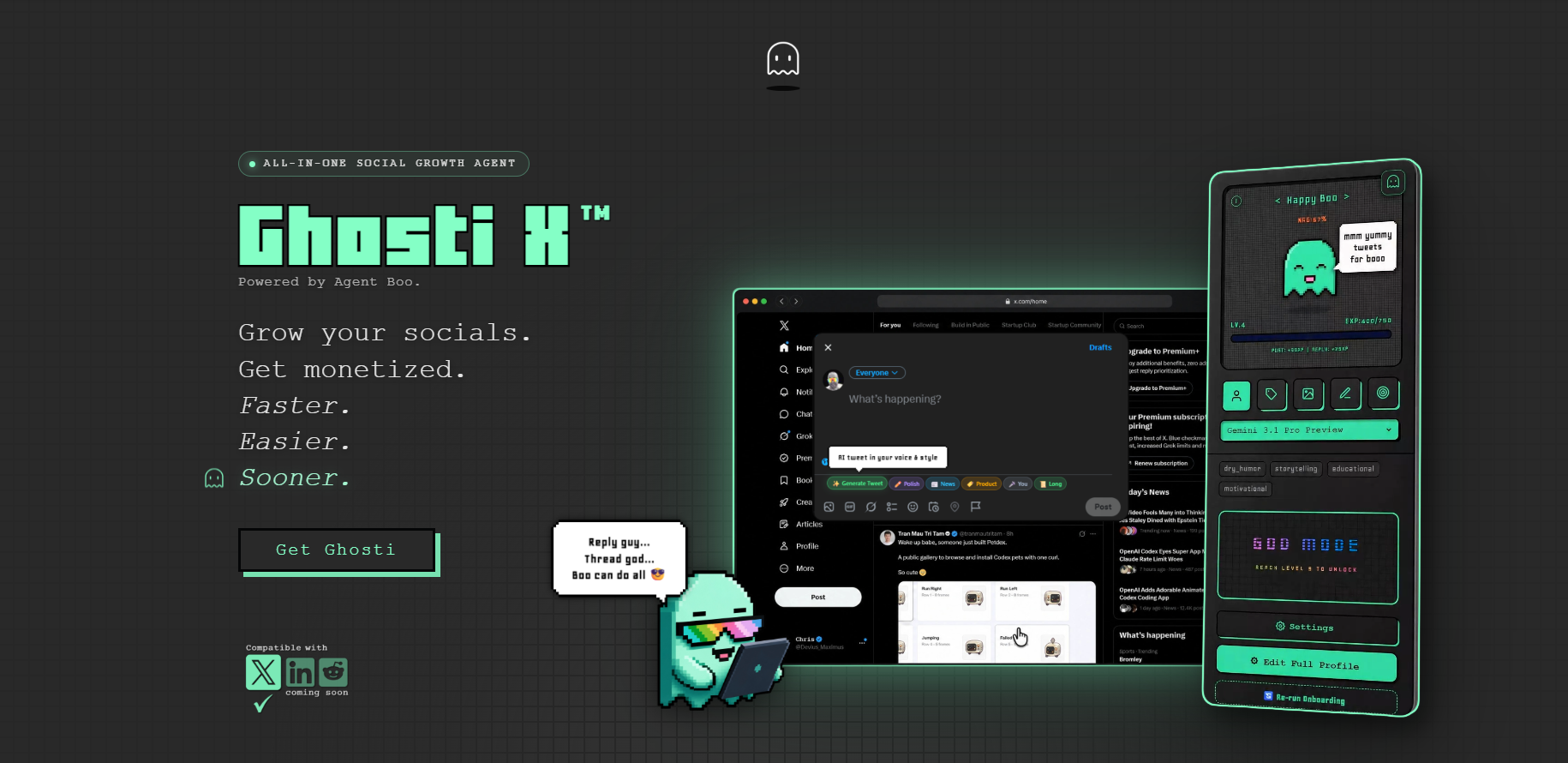
Here's what that framework looks like in practice, using the tool we build. No separate dashboard, no copy-paste, everything happens in the feed you already have open.
Reply Guy reads the context of the tweet you're replying to and generates a reply that matches your voice, your tone, your angle. It's not pulling from a bank of viral templates. It's using Ghost DNA, Ghosti's voice and personality system, which learns from your examples, your rules, your interests, and your products. The result sounds like something you'd actually write, not a bot.
Hunt Mode surfaces the tweets worth replying to. Instead of scrolling your entire feed looking for conversations to join, Hunt Mode helps you focus your limited reply time on the opportunities that match your niche and audience. Pair it with Reply Guy and the daily reply habit goes from a chore to something you can finish in two short sessions.
BYOK (bring your own key) means you plug in your Gemini, OpenAI, Anthropic, or OpenRouter API key and pay the provider directly. No bundled AI with daily caps. No per-day generation limits imposed by Ghosti. You pick the model, you pay wholesale, you generate as many replies as the conversation calls for.
Ghosti also generates full standalone posts (not just replies), builds complete threads with Thread Studio, and tracks your consistency with Boo's XP and leveling system, so the daily habit stays visible. It needs no X password and makes no third-party connection to your account.
Pricing is $18.99/month or $49.99/year for the BYOK license, plus whatever you spend on your AI provider (roughly $5/month for around 1,000 generations based on typical usage). There's a 7-day free trial on the monthly plan. You can grab it from the Ghosti site or find it on the Chrome Web Store.
Ghosti vs SuperX vs Tweet AI vs Teract: side by side
Here is how Ghosti lines up against SuperX and Tweet AI and Teract on the dimensions that matter for reply-led growth on X. Every competitor fact below comes from the tool's own official site.
| Feature | Ghosti X | SuperX | Tweet AI | Teract |
|---|---|---|---|---|
| Type | Live generation agent | In-X engagement & scheduling suite | AI tweet & reply generator | AI reputation coach (8 platforms) |
| Writes in your voice | ✓ Yes, trained on your examples | ✓ | ✓ | ✓ |
| Generates replies for reply-led growth | ✓ Yes | ✓ | ✓ | ✓ |
| Builds full threads | ✓ Yes, Thread Studio | ✓ | ✓ | — |
| Finds tweets worth replying to | ✓ Yes, Hunt Mode | ✓ | — | ✓ |
| Works inside the X feed | ✓ Yes, native in the feed | ✓ | ✓ | ✓ |
| BYOK — bring your own AI key | ✓ Yes | — | — | — |
| Starting price | $18.99/month | — | Free plan; paid from $8.25 / month (billed yearly) | Free (10 gens); Creator $14.99/mo; Pro $29.99/mo |
SuperX is an in-X engagement and scheduling suite that writes in your voice, generates replies and builds threads.

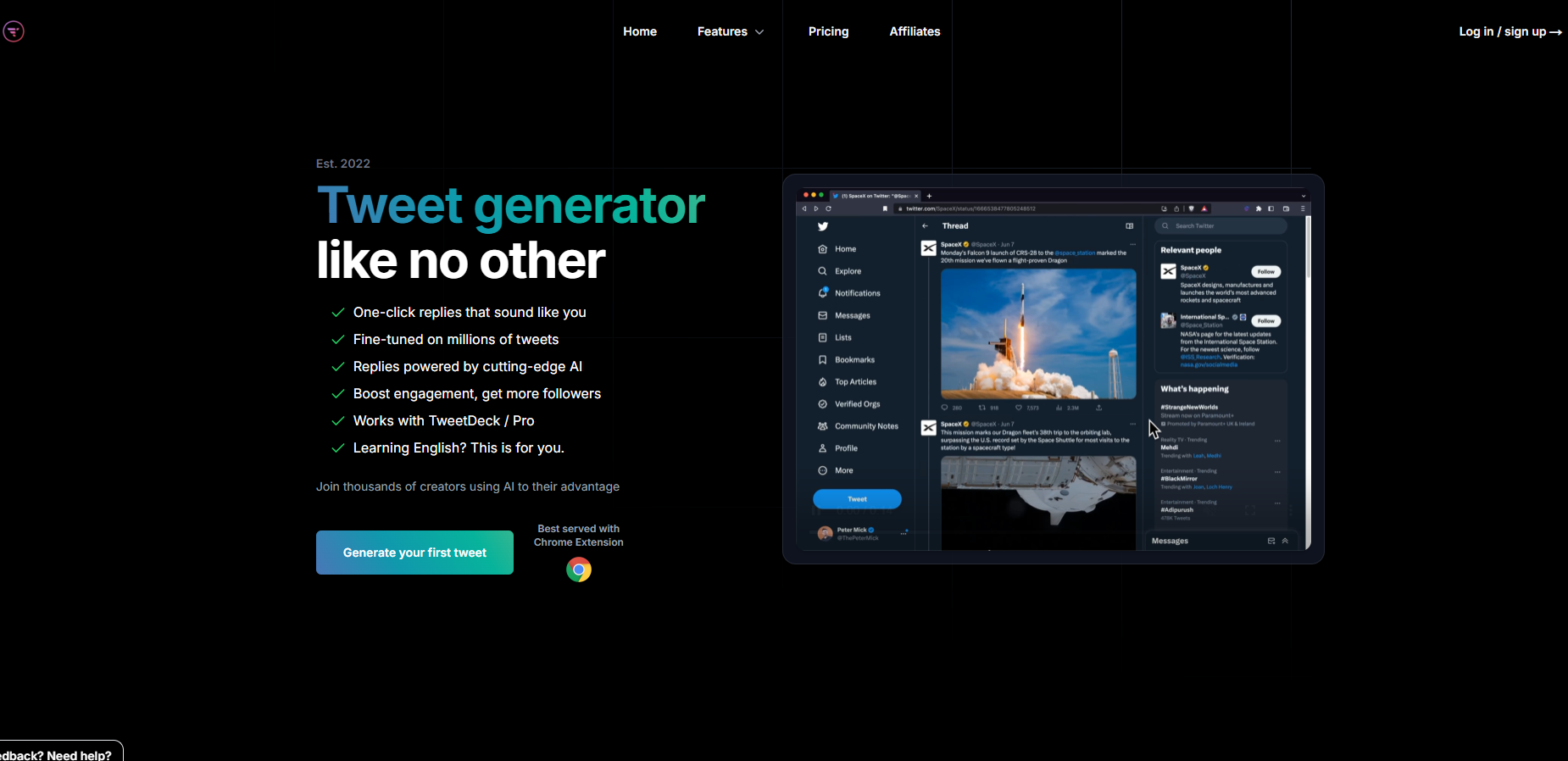
Tweet AI is an AI tweet and reply generator that writes in your voice, generates replies and builds threads. Pricing: Free plan; paid from $8.25 / month (billed yearly).
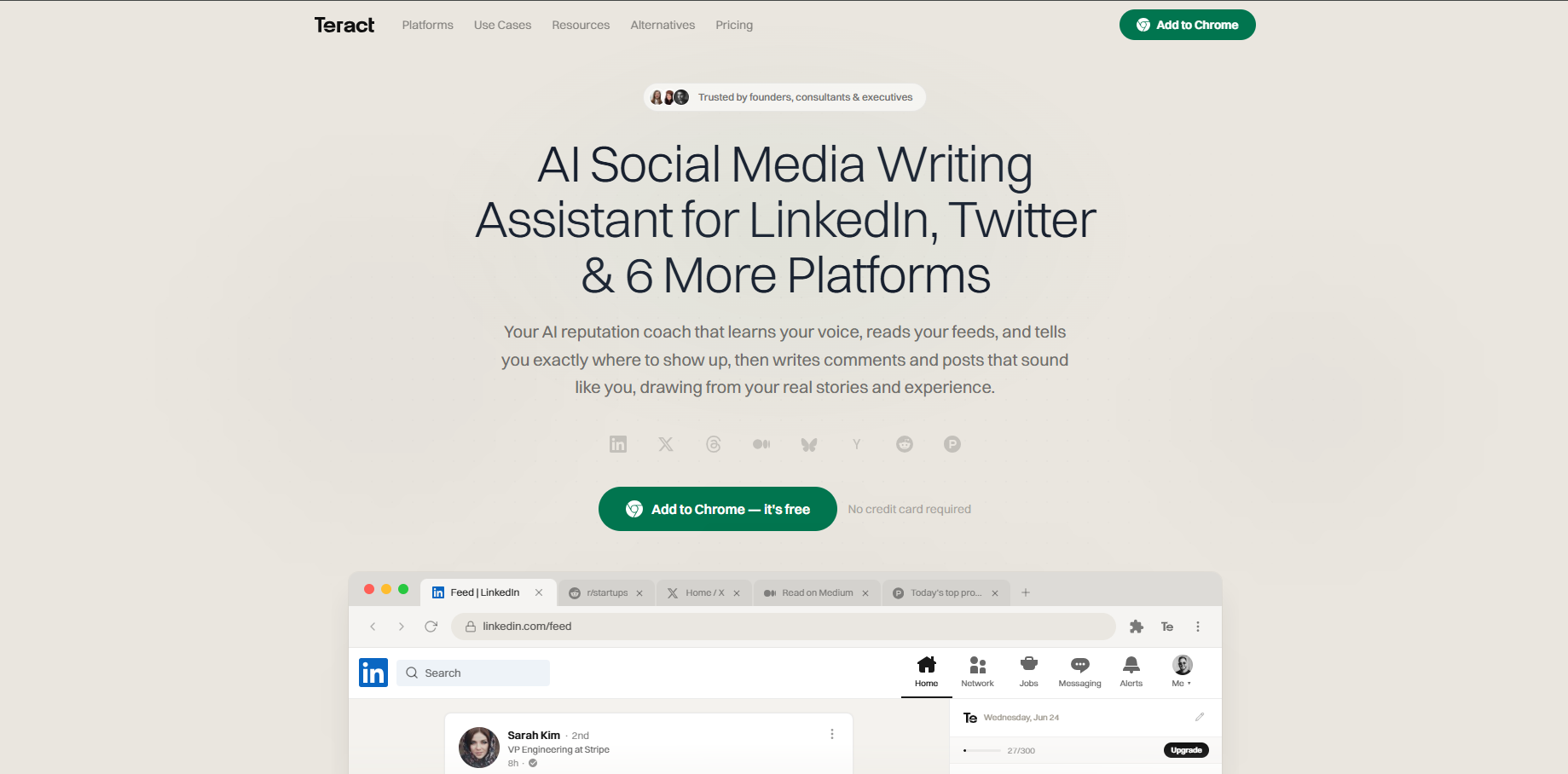
Teract is an AI reputation coach covering eight platforms that writes in your voice and generates replies. Pricing: Free (10 gens); Creator $14.99/mo; Pro $29.99/mo.
The takeaway: Ghosti is the pick for creators who want posts, threads, and replies that sound like them, generated in one click right inside X, running on their own AI key.
Making the reply habit stick
The biggest failure mode with any reply tool isn't the tool. It's quitting after three days because the habit didn't take hold.
Attach your reply sessions to something you already do. Morning coffee: fifteen minutes, a handful of replies on your shortlist accounts. End of day: another short window to catch anything you missed. That's it. You're not trying to be everywhere. You're trying to be consistent in the right places.
Ghosti's Boo XP system helps here. Every reply earns XP, Boo evolves through nine stages, and if you stop showing up, progress can fade. It's a Tamagotchi-style loop that makes the streak visible, which turns out to be enough to keep most people going past the first week where everyone else drops off.
Track profile visits and new follows weekly in X analytics. If you see those climbing, the replies are working. If not, adjust your target accounts or sharpen the replies. Give it at least two to four weeks before judging. Replies are a slow-compounding channel, not a one-day spike.
Key takeaways
- Replies are a first-class signal in X's open-source recommendation algorithm, not a growth hack. The ranking model predicts reply probability alongside reposts, dwell time, and profile clicks.
- The best AI reply Chrome extension trains on YOUR voice so replies read as worth stopping for, not generic one-liners that scream bot.
- BYOK (bring your own key) extensions let you choose your provider and model and pay wholesale with no daily generation caps, which matters once replying is a daily habit.
- Focus replies on a couple of dozen niche-relevant accounts whose followers overlap with your ideal audience, not the biggest accounts on the platform.
- Measure profile clicks and follows over a month, not reply likes. That's the signal that your replies are actually converting.
Frequently asked questions
Do AI reply Chrome extensions get your X account suspended?
<p>It depends on what the extension does. The risky category is narrow and well documented: bulk-automated replies fired at strangers, and extensions that script x.com directly rather than going through the API. Both are named in X's rules, and the second carries a permanent-suspension warning. Extensions like Ghosti that generate a reply for you to review and post yourself don't automate the posting action. No tool can rule out enforcement entirely, but unsolicited mass-reply automation is the clearest line X draws, and staying the right side of it is the part you control.</p>
What does BYOK mean for an AI reply extension?
<p>BYOK stands for "bring your own key." Instead of the extension bundling AI and charging you per generation or capping your daily replies, you plug in your own API key from a provider like Gemini, OpenAI, Anthropic, or OpenRouter. You pay the provider directly at their published rates, usually a fraction of a cent per reply. The benefit: no per-day caps, your choice of model, and cost transparency. Ghosti uses the BYOK model.</p>
How many replies a day should I post on X to grow?
<p>Many creators find that a steady handful of thoughtful, on-topic replies per day, split across two short sessions, is a pace that compounds without burning out. The number matters less than consistency and quality. A sharp, specific reply on a relevant thread beats 50 generic comments. Focus on accounts whose followers overlap with your niche and write replies that work as standalone value, not just agreement.</p>
Sources
- X open-source recommendation algorithm (For You feed) (accessed September 5, 2026)
- X automation rules and policies (accessed September 5, 2026)
- SuperX (official site) (accessed September 5, 2026)
- Tweet AI (official site) (accessed September 5, 2026)
- Teract (official site) (accessed September 5, 2026)
Editorially reviewed by Chris, Ghosti Founder on .