

Best Chrome
Extensions for
Twitter in 2026
Published · Last updated
If you have scrolled the Chrome Web Store searching for a Twitter extension recently, you already know the problem. Half the tools are abandoned projects that break every time X updates its interface, and the other half are heavy scheduling dashboards crammed into a sidebar. You do not need twelve overlapping tools slowing down your browser. What you actually need is a lean stack that handles the real jobs of X growth: discovering what is working, writing in your own voice, and keeping your feed focused.
How to Build a Lean Twitter Extension Stack
The biggest mistake creators make with X Chrome extensions is installing overlapping tools. If you have two different analytics sidebars and three AI writers fighting over your compose box, the platform becomes unusable. Worse, it distracts you from actually posting.
Instead, think about your extensions by the workflow job they do. A good stack needs a creation layer to help you write, a research layer to show you what is working for others, and a focus layer to remove timeline clutter. By picking one dedicated extension per category, your browser stays fast. Your workflow stays focused.
Before we look at the specific tools, we need to understand the actual growth mechanics they are trying to solve.
The Engagement Mechanics extensions need to support
The tools you choose have to support what actually works on the platform right now. In practice, creators widely observe that the recommendation algorithm tends to favor the probability of a reply, alongside reposts, quotes, dwell time, and profile clicks. Those predictions roll into the score it ranks posts by. Building a reply habit is leaning into a signal X's code actually measures. It is a legitimate strategy, not a trick.
The same model predicts dwell time and profile clicks. A reply that is genuinely worth reading gives a reader a reason to stop, click your profile, and follow. A one-word "agreed" gives nobody a reason to look twice. A reply carrying one specific, non-obvious point does.
This means your Chrome extension stack needs to make finding and writing high-quality replies much easier. A good stack helps you pick conversations by relevance and audience overlap, not just raw follower count. The highest-converting reply target is usually a mid-sized account posting something you have a genuine, specific angle on. You want to catch them early while the thread is still live so your reply is seen near the top.
Building a Sustainable Routine
Reply growth compounds through consistency. A repeatable system most creators can actually sustain involves short, regular windows throughout the day. You aim for a steady volume of thoughtful replies, concentrated on your short list of relevant accounts while their posts are fresh. A handful of strong replies every day beats frantic sessions and silence after. Your tools should remove the friction of executing this daily habit.
You should track the right things over a consistent window. Look at profile visits and follows, plus whether specific accounts start recognizing and replying back to you. A reply that got few likes but sent several people to your profile did its job. A witty one-liner that got likes but no profile clicks did not. Review regularly and double down on the conversations and angles that actually moved profile visits.
Your Chrome extensions are just the tools that make this system run smoothly. If they get in the way, uninstall them. Let's look at the ones that actually earn their keep.
Mixing Single Posts and Threads
Relying exclusively on single posts limits your ability to tell deeper stories or share complex tutorials. Threads remain a vital format for educating your audience and establishing authority. However, breaking an idea into a compelling multi-part thread manually takes significant time and formatting effort.
An effective workflow mixes short daily observations with regular deep-dive threads. Single posts keep you visible in the timeline and test new ideas quickly. When a single post resonates, you expand that proven concept into a comprehensive thread a few days later.
Your tool stack should accommodate this mix smoothly. A good thread extension will help you format, split, and pace the content without losing your core voice. You want to focus on the narrative arc of the thread, not the character limits of each individual post.
Ghosti vs SuperX vs Tweet AI vs Teract: side by side
Here is how Ghosti lines up against SuperX and Tweet AI and Teract on the dimensions that matter for reply-led growth on X. Every competitor fact below comes from the tool's own official site.
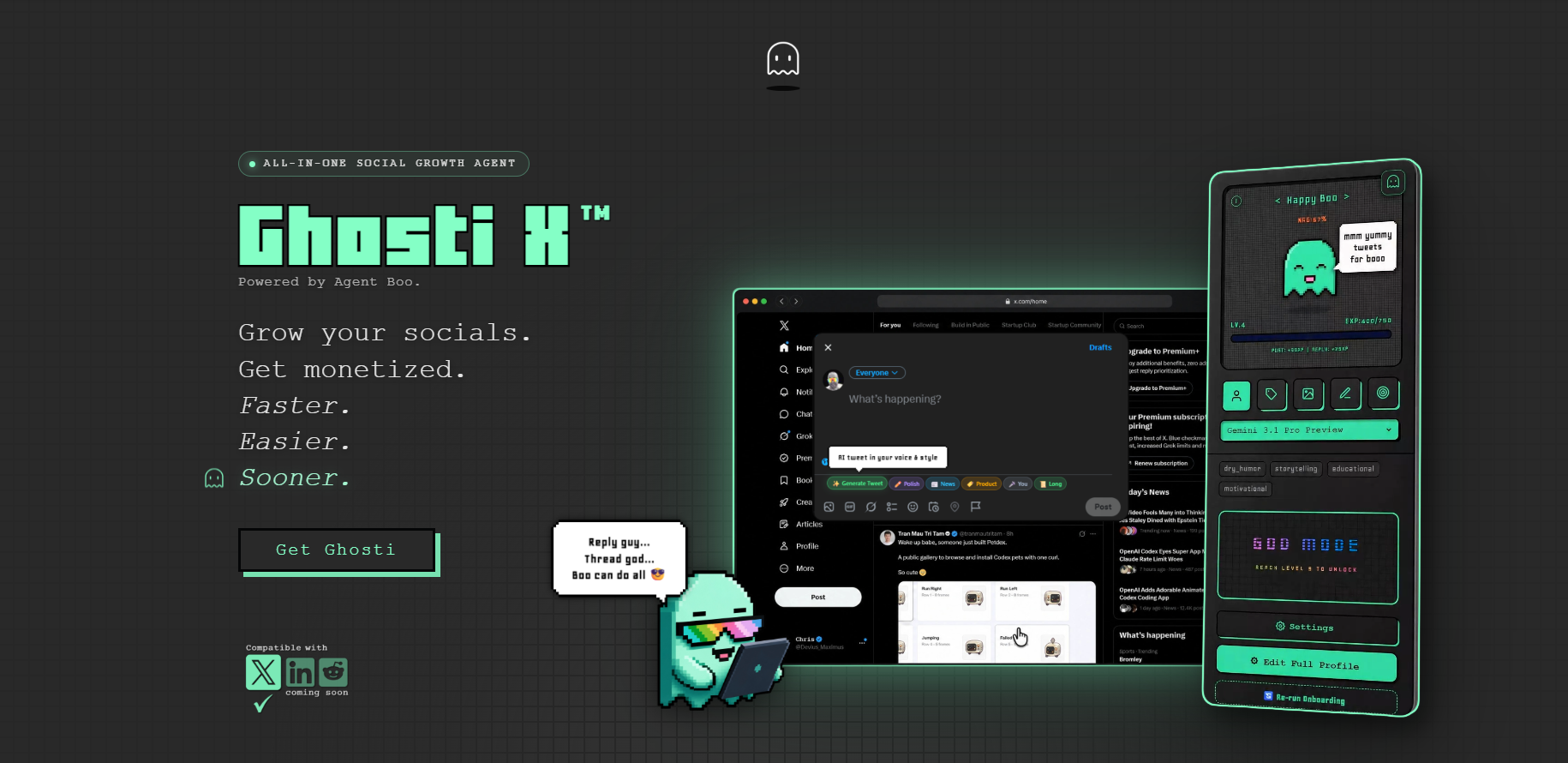
| Feature | Ghosti X | SuperX | Tweet AI | Teract |
|---|---|---|---|---|
| Type | Live generation agent | In-X engagement & scheduling suite | AI tweet & reply generator | AI reputation coach (8 platforms) |
| Writes in your voice | ✓ Yes, trained on your examples | ✓ | ✓ | ✓ |
| Generates replies for reply-led growth | ✓ Yes | ✓ | ✓ | ✓ |
| Builds full threads | ✓ Yes, Thread Studio | ✓ | ✓ | — |
| Finds tweets worth replying to | ✓ Yes, Hunt Mode | ✓ | — | ✓ |
| Works inside the X feed | ✓ Yes, native in the feed | ✓ | ✓ | ✓ |
| BYOK — bring your own AI key | ✓ Yes | — | — | — |
| Starting price | $18.99/month | — | Free plan; paid from $8.25 / month (billed yearly) | Free (10 gens); Creator $14.99/mo; Pro $29.99/mo |
SuperX is an in-X engagement and scheduling suite that writes in your voice, generates replies and builds threads.

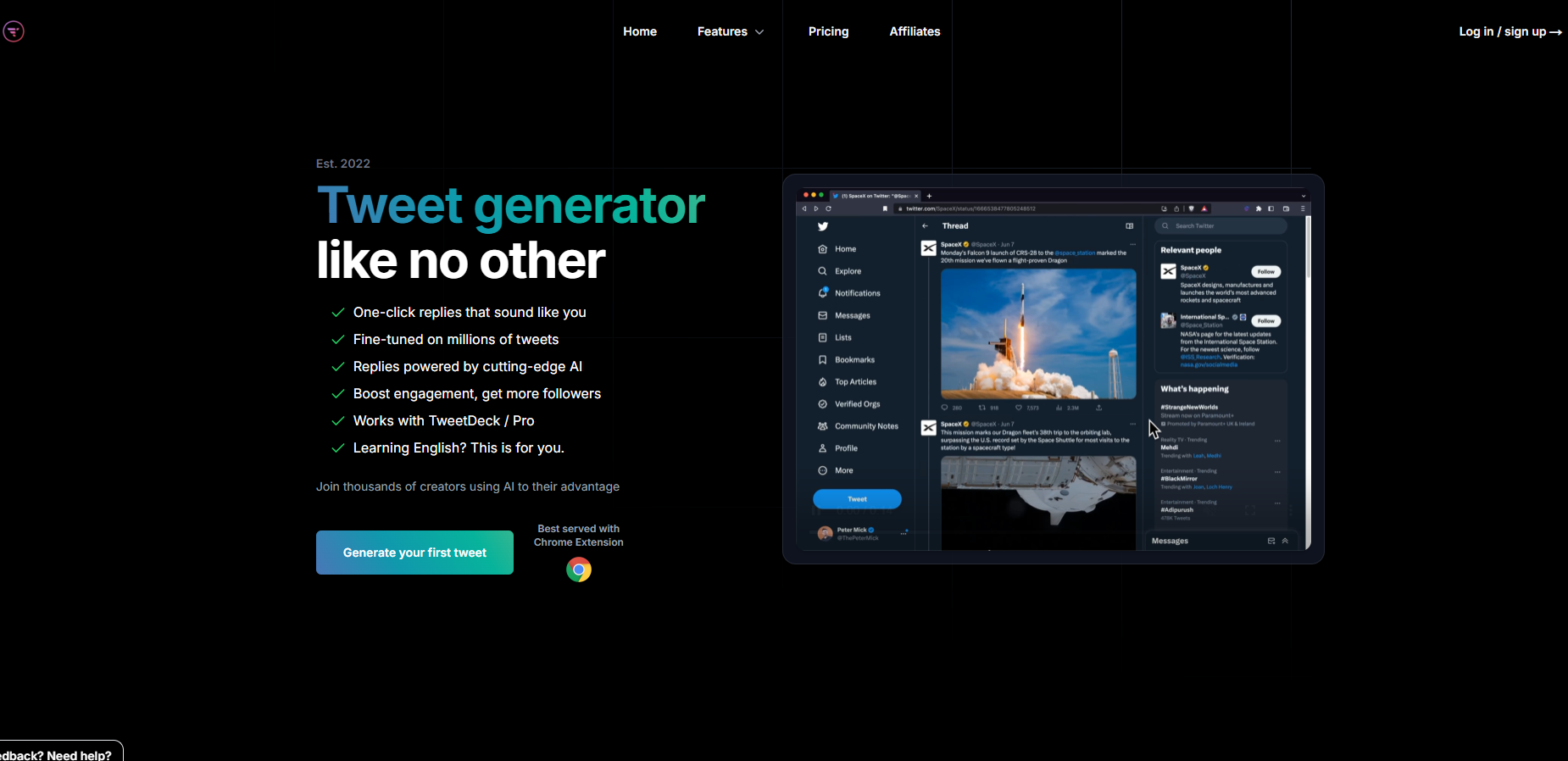
Tweet AI is an AI tweet and reply generator that writes in your voice, generates replies and builds threads. Pricing: Free plan; paid from $8.25 / month (billed yearly).
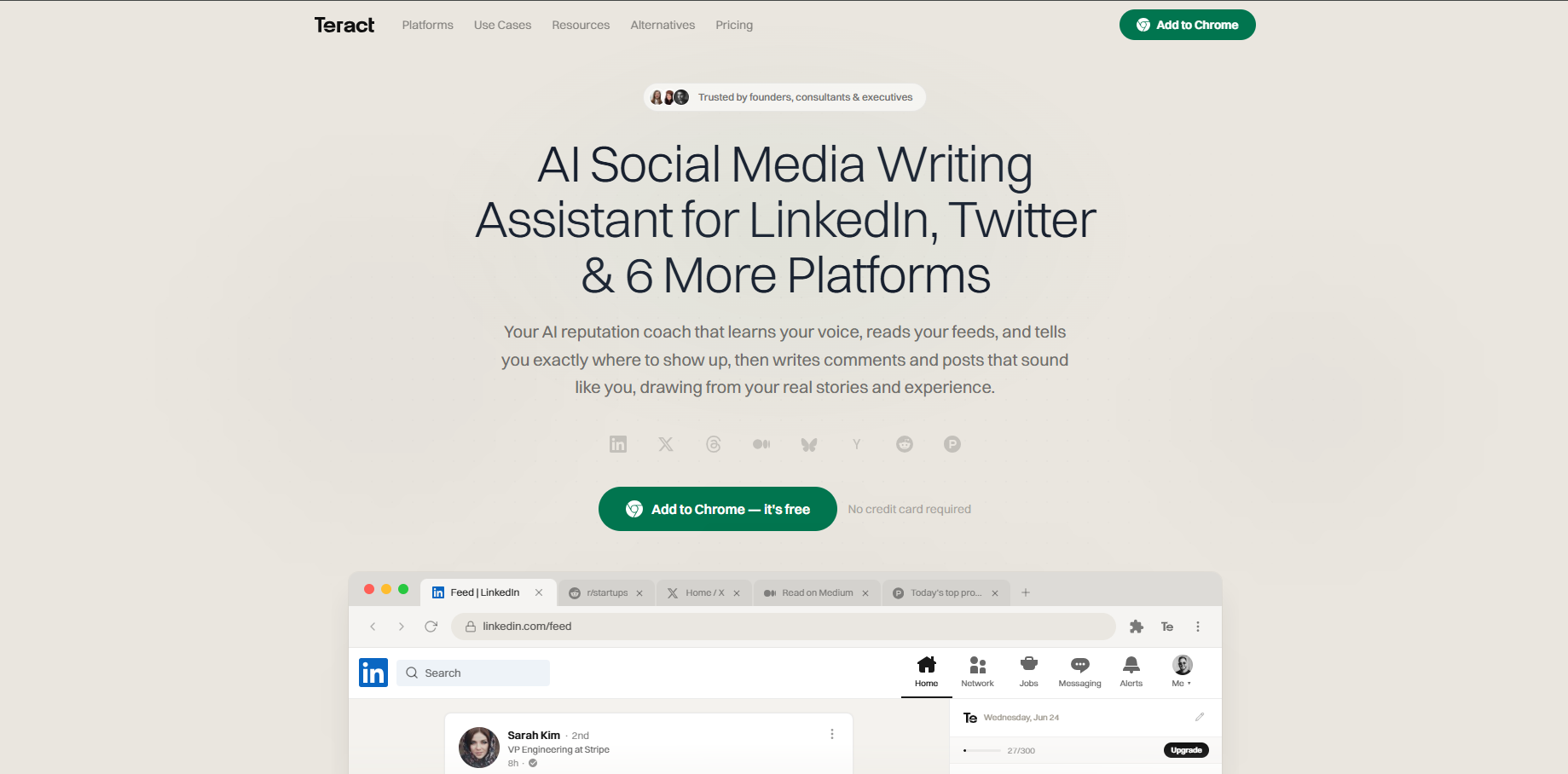
Teract is an AI reputation coach covering eight platforms that writes in your voice and generates replies. Pricing: Free (10 gens); Creator $14.99/mo; Pro $29.99/mo.
The takeaway: Ghosti is the pick for creators who want posts, threads, and replies that sound like them, generated in one click right inside X, running on their own AI key.
Ghosti: Best for In-Feed Creation and Replies
We build Ghosti, so we are biased, but here is our honest take on where it fits. Ghosti is an AI writing agent that lives directly inside your X feed. Instead of switching to a separate dashboard to write your posts, you generate them right in the compose box.
The core difference is the voice engine. Ghosti uses Ghost DNA to train on your own examples, topics, and rules. When you click Generate Posts, the output sounds like you, not a generic robot. It is the cure for blank-page paralysis: the draft is already in your voice, so the work left is editing rather than starting.
For reply-led growth, Ghosti provides Hunt Mode and Reply Guy. Hunt Mode surfaces the high-opportunity tweets worth replying to, so you are not endlessly scrolling looking for conversations.
For longer formats, Ghosti includes Thread Studio. You open the sidebar, provide your topic or idea, and the AI thread generator builds a multi-part X thread written in your voice. You pick the post count and copy each one in seconds. This turns a passing thought into a structured piece of content rapidly.
To solve the consistency problem, Ghosti introduces Agent Boo and an XP accountability loop. It gamifies the writing grind and makes showing up consistently feel rewarding.
It requires no X password and makes no sketchy third-party connections to your account.
Tweet Hunter X: Best for Content Research
Tweet Hunter X (formerly Twemex) is Tweet Hunter's companion sidebar for X, and it is a research tool rather than a writing one. It surfaces the top-performing posts from your timeline, pulls up anybody's best tweets on demand, shows you the full conversation and quote tweets around a post, and layers shortcuts onto X's own search.
That makes it genuinely useful when you are working out a new creator's best angles or sizing up an unfamiliar niche. Two caveats before you install it. Since X's API changes the extension requires a paid Tweet Hunter subscription to function, so it is not a free add-on to your stack. And its Chrome Web Store rating currently sits at 3.2 out of 5, so read the recent reviews before you commit.
SuperX: Best for All-in-One Analytics
If you would rather have scheduling, analytics, and an engagement feed in one place, SuperX is a broad growth toolkit that runs right inside the X interface.
It is built for power users and teams who need a heavy-duty suite. While a full dashboard can feel dense for a solo creator just starting out, SuperX brings deep analytics closer to the actual timeline.
Minimal Theme for Twitter: Best for Focus
X's default interface is built to keep you scrolling, which is precisely the wrong thing when you opened the tab to write something. Minimal Theme for Twitter / X strips the interface back: promoted posts and suggestions gone, view counts hidden, the trends sidebar removed, the For You / Following tabs cleared away, timeline width and left navigation under your control.
It also ships a Writer Mode that hides everything except the composer, which is the closest thing X has to a distraction-free editor. It rates 4.4 out of 5 on the Chrome Web Store and its developer discloses that it collects no user data. For creators who keep getting pulled into the timeline when they only logged on to post and reply, it is the cheapest fix available.
The Ideal X Extension Stacks for 2026
Do not install all of them. Here is how to combine these tools based on your actual needs.
The Solo Creator Stack
If your goal is to post consistently and build a reply habit, pair Ghosti with Minimal Theme. Ghosti handles the in-feed writing, threads, and Hunt Mode replies. Minimal Theme hides the clutter. This stack keeps you focused on creation and engagement without getting distracted by the feed.
The Research and Analytics Stack
If you are a founder or ghostwriter doing deep competitive analysis, run Tweet Hunter X to surface top-performing posts alongside SuperX to track detailed engagement metrics. Between them you get a decent read on what is working in your niche.
The best Chrome extensions for Twitter close the distance between having a good idea and hitting post, some by doing the writing in your voice, some by showing you what is working, some by clearing the clutter out of the way. Start with whichever of those is your actual bottleneck, and add the second one only when the first has stopped being the thing that slows you down.
Key takeaways
- Build your extension stack by workflow (creation, analytics, focus) to avoid overlapping tools.
- Ghosti handles the creation and engagement layer with in-feed, voice-trained AI generation.
- Use Tweet Hunter X for researching top-performing posts and SuperX for deep analytics.
- A minimal-theme extension strips away timeline clutter, and its Writer Mode gives X something close to a distraction-free composer.
Frequently asked questions
What is the best Chrome extension for X/Twitter in 2026?
The best extension depends on your workflow. Ghosti is our top pick for voice-trained writing and replying directly inside the feed. Tweet Hunter X is excellent for content research, and SuperX is a strong choice for integrated analytics and scheduling.
Are Twitter Chrome extensions safe to use?
Extensions that modify the X interface or automate actions carry different levels of risk. No tool can guarantee against suspension. Look for extensions like Ghosti that offer more control by not requiring your X password or making sketchy third-party connections. Always follow X's automation policies regarding unsolicited replies and spam.
Sources
- X automation rules (accessed September 5, 2026)
- X open-source recommendation algorithm (accessed September 5, 2026)
- SuperX (official site) (accessed September 5, 2026)
- Tweet AI (official site) (accessed September 5, 2026)
- Teract (official site) (accessed September 5, 2026)
- Tweet Hunter X: Sidebar for X, Chrome Web Store (accessed September 8, 2026)
- Minimal Theme for Twitter / X, Chrome Web Store (accessed September 8, 2026)
Editorially reviewed by Chris, Ghosti Founder on .