

Best Chrome
Extension to
Write Tweets in 2026
Published · Last updated
You have an idea for a post. So you open ChatGPT in a new tab, paste some context, fiddle with the prompt, copy the output, switch back to X, paste it into the compose box, realize it sounds nothing like you, go back to ChatGPT, try again. By the third round-trip you've lost the thought entirely.
That copy-paste loop is the real productivity killer for creators and founders on X (Twitter). Not writer's block, not lack of ideas. Just friction. And the obvious fix is a Chrome extension that writes tweets where you already work, inside the feed, without the tab-switching circus. But most tweet-writing extensions are thin wrappers around a generic prompt. They spit out text that could belong to anyone. The interesting question is which extensions actually learn how you write, and which ones just autocomplete.
We build Ghosti, so we're biased. We'll be upfront about that. But we've also spent a lot of time thinking about what a tweet-writing extension should actually do, and this post covers the real criteria before we make our case.
Why writing inside X beats a separate app
The tab-switching tax is worse than most people realize. Every time you leave X to write in another tool, you break context. You lose the thread you were going to reply to. You forget the phrasing that felt right two minutes ago. And by the time you've pasted the output back into the compose box, the conversation has moved on.
A Chrome extension that generates tweets inside the feed removes that friction entirely. You see a post, you react, you generate a reply or write a new post, all without leaving the timeline. The workflow shrinks from five steps to one.
But "works inside X" is the baseline. The difference between a useful extension and a toy comes down to three things: does it sound like you, does it help you find the right conversations, and does it cost a fortune to run?
What to look for in a tweet writing extension
Voice training, not generic templates
The biggest complaint about AI-generated tweets is that they sound like AI-generated tweets. Flat. Corporate. Interchangeable. If your extension just wraps a generic prompt around GPT, you'll spend as long editing the output as you would have spent writing from scratch.
What actually works is voice training: the extension learns from your examples, your tone, your rules, and your context. When it generates a post, it starts from who you are, not from a library of viral templates that everyone else is also using.
This matters more than most feature lists suggest. Generic output erodes trust with your audience over time. People follow you for a reason. If every post reads like it came off a content-farm assembly line, followers notice and engagement drops.
Reply tools that find the conversations worth joining
Posts are only half the game on X. Replies are where relationships start, where new audiences discover you, and where X's recommendation algorithm has real signal to work with.
X open-sources its For You ranking model, and reply is one of the actions the model explicitly predicts when scoring a post. So is dwell time, profile clicks, and follows. A reply that's specific enough to make someone stop scrolling, click your profile, and follow is doing exactly what the algorithm measures.
The practical implication: your extension should help you find tweets worth replying to and generate replies that sound like you, not just generate standalone posts. Many creators find that a steady cadence of thoughtful replies each day, concentrated on accounts whose followers overlap with your target audience, compounds faster than posting alone. The key is consistency over weeks, not one frantic session.
Cost structure and model access
Some extensions bundle AI and meter it with daily credits or tiered plans. Others let you bring your own API key (BYOK) and pay the provider directly at wholesale rates. The difference matters once you're generating consistently.
With BYOK, you pick the model (Gemini, GPT-4o, Claude, whatever fits), you pay per token at the provider's rate, and there's no artificial cap on how many posts you generate per day. If you're using a cost-effective model like Gemini Flash, the actual cost for a thousand generations is roughly a few dollars a month.
With bundled AI, you're paying whatever markup the extension adds and you hit the daily limit when they say you do. For casual use that's fine. For someone posting and replying daily, it gets expensive or limiting fast.
How to write replies that actually grow your account
Before we get into the comparison, here's the strategy that makes a tweet-writing extension actually worth installing. Because the tool only matters if you know what to do with it.
The reply game on X isn't about volume. It's about picking the right conversations and saying something only you would say.
Pick targets by relevance, not follower count
A 500k-follower account posting about something outside your niche is worse than a 10k account whose followers are exactly the people you want. In practice, most creators keep a short list of accounts whose audience overlaps with theirs, and they focus reply energy there.
Timing matters too. Replying soon after a post goes live means your reply sits near the top of the thread, where the most eyeballs land. Late replies get buried.
Write replies worth stopping for
X's ranking model predicts dwell time and profile clicks alongside replies (source). A one-word "great post!" doesn't trigger any of those. A reply that adds a counter-take, a concrete example, or a specific detail from your own experience gives readers a reason to pause, read your bio, and follow.
Say you reply to a founder sharing their pricing strategy. Instead of "love this," you write three sentences about a pricing experiment you ran and what surprised you. That kind of specificity is what earns profile clicks. And it's exactly what a voice-trained extension should generate: replies that sound like something you'd actually say, with the kind of detail that makes people curious about who wrote it.
Build the habit, then measure what matters
Consistency beats intensity. Two short daily windows, generating and posting a handful of thoughtful replies in each session. That's sustainable. A blitz followed by a week of silence is not.
And the metric to watch isn't reply likes. It's profile visits and new follows, tracked over several weeks in X's analytics. A reply that got two likes but sent five people to your profile did its job. A witty one-liner that got 50 likes but zero profile clicks did not.
Why Ghosti is built for this job
We built Ghosti specifically as a Chrome extension to write tweets inside X, because we were tired of the copy-paste loop ourselves. Here's what it does and why it matters for the workflow above.
Ghost DNA: voice training on your examples
Ghosti's voice system, Ghost DNA, learns from your bio, tone preferences, example posts, products, and custom rules. When it generates a post or reply, it starts from your context, not a generic viral template. You can set up multiple voice profiles and switch between them from a dropdown, which is useful if you manage a personal brand and a product account.
This is the cure for generic AI output. The extension doesn't just write tweets. It writes tweets that sound like you wrote them.
Hunt Mode + Reply Guy: find and write replies in one flow
Hunt Mode surfaces tweets worth replying to so you're not scrolling aimlessly. Reply Guy reads the context of any post and generates a reply in your voice. Together they turn the reply strategy above into something you can actually sustain daily, because the extension does the finding and the first-draft writing while you stay in the conversation.
Thread Studio: turn one idea into a full thread
Thread Studio takes a topic and generates a complete multi-part X thread in your voice. You pick the post count, review, and publish. No separate app. No copy-pasting between tools.
BYOK: your own AI key, no caps
Ghosti runs on your own API key from Gemini, OpenAI, Anthropic, or OpenRouter. You pick the model, you pay the provider directly at wholesale rates, and there are no daily generation limits. The BYOK license is $18.99/month or $49.99/year, with a 7-day free trial on the monthly plan.
No X password required
Ghosti needs no X login or password and makes no third-party connection to your account. It runs as a Manifest V3 Chrome extension inside the feed. That's a nice bonus on top of the core workflow.
Boo and the XP loop
Every post, reply, and thread you generate earns XP and evolves Boo, Ghosti's AI agent mascot, through nine stages up to God Mode. It sounds like a gimmick, but it turns the daily reply habit into a visible streak. And the accountability helps. Missing days means Boo fades. Showing up means progress you can see.
Ghosti vs SuperX vs Tweet AI vs Teract: side by side
Here is how Ghosti lines up against SuperX and Tweet AI and Teract on the dimensions that matter for reply-led growth on X. Every competitor fact below comes from the tool's own official site.
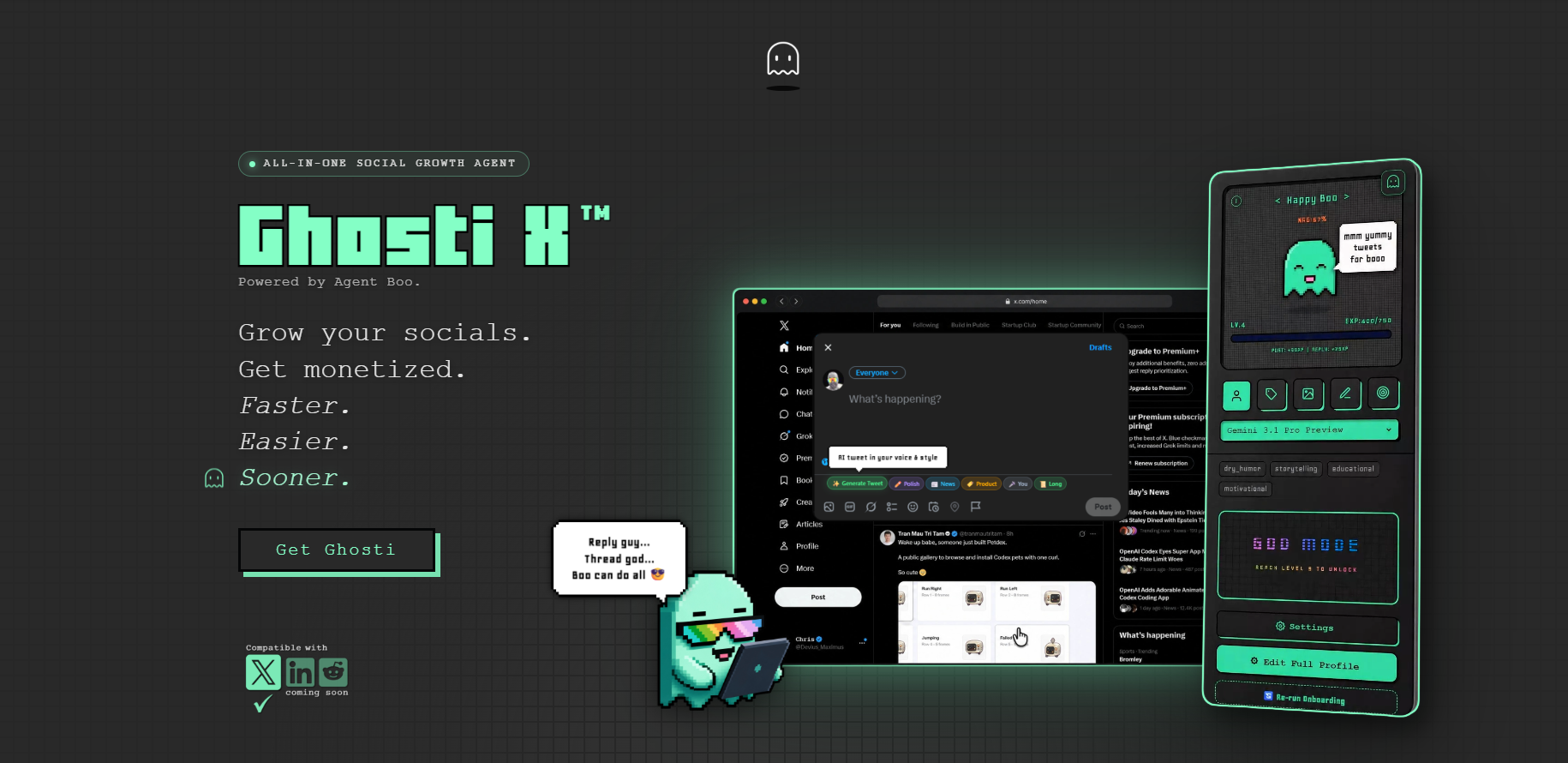
| Feature | Ghosti X | SuperX | Tweet AI | Teract |
|---|---|---|---|---|
| Type | Live generation agent | In-X engagement & scheduling suite | AI tweet & reply generator | AI reputation coach (8 platforms) |
| Writes in your voice | ✓ Yes, trained on your examples | ✓ | ✓ | ✓ |
| Generates replies for reply-led growth | ✓ Yes | ✓ | ✓ | ✓ |
| Builds full threads | ✓ Yes, Thread Studio | ✓ | ✓ | — |
| Finds tweets worth replying to | ✓ Yes, Hunt Mode | ✓ | — | ✓ |
| Works inside the X feed | ✓ Yes, native in the feed | ✓ | ✓ | ✓ |
| BYOK — bring your own AI key | ✓ Yes | — | — | — |
| Starting price | $18.99/month | — | Free plan; paid from $8.25 / month (billed yearly) | Free (10 gens); Creator $14.99/mo; Pro $29.99/mo |
SuperX is an in-X engagement and scheduling suite that writes in your voice, generates replies and builds threads.

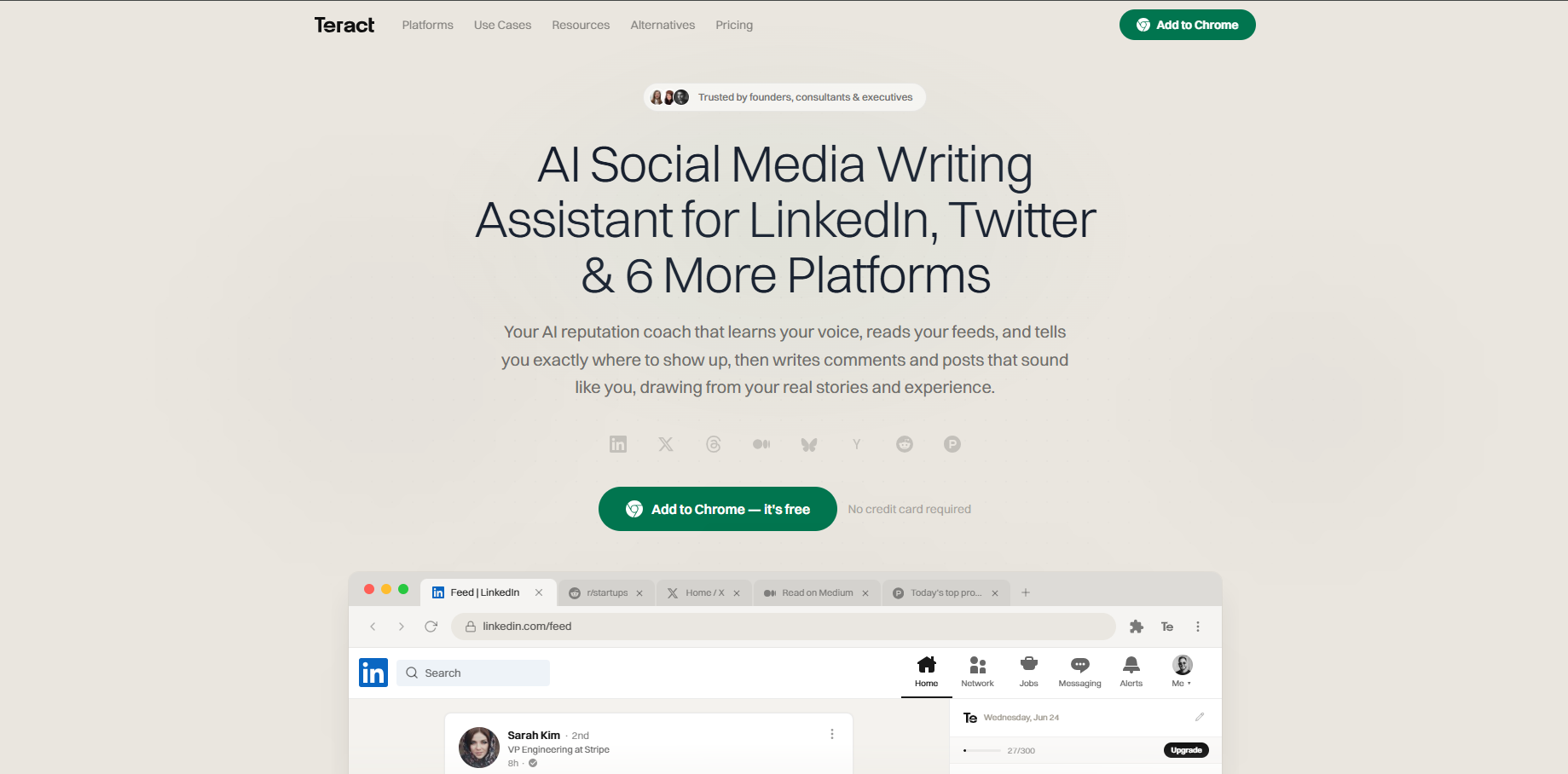
Tweet AI is an AI tweet and reply generator that writes in your voice, generates replies and builds threads. Pricing: Free plan; paid from $8.25 / month (billed yearly).
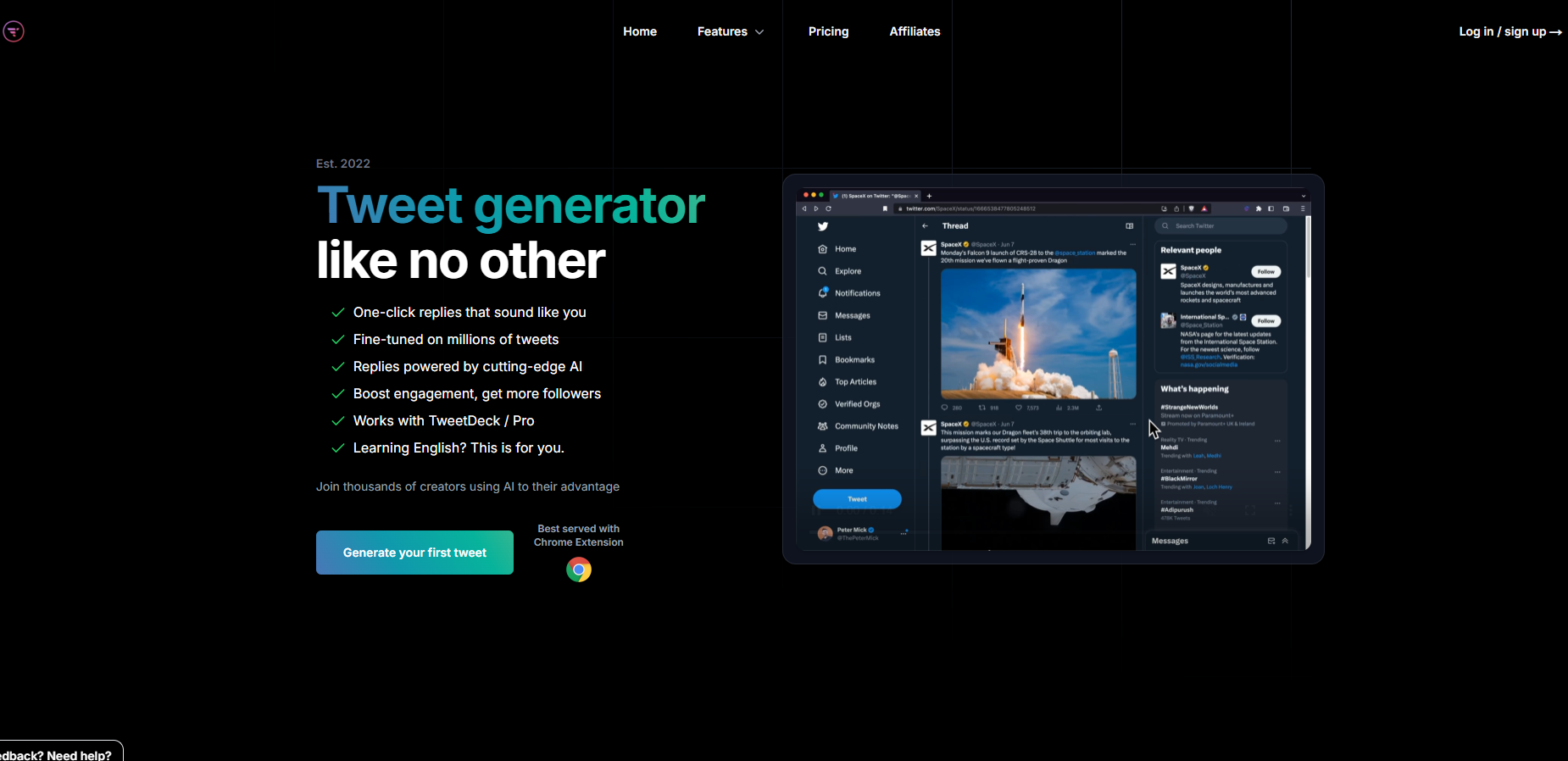
Teract is an AI reputation coach covering eight platforms that writes in your voice and generates replies. Pricing: Free (10 gens); Creator $14.99/mo; Pro $29.99/mo.
The takeaway: Ghosti is the pick for creators who want posts, threads, and replies that sound like them, generated in one click right inside X, running on their own AI key.
How to get started with Ghosti
- Get Ghosti. Start at ghostiapp.com, where the monthly plan opens with a 7-day free trial, then add the extension to Chrome.
- Set up Ghost DNA. Open the sidebar on X, run the quick onboarding, and add your tone, interests, example posts, and any products you want to mention. This is what makes the output sound like you instead of generic AI.
- Plug in your API key. Drop in a key from Gemini, OpenAI, Anthropic, or OpenRouter. If you're not sure which to pick, Gemini Flash is cost-effective and fast.
- Start generating. Click Generate Posts in an empty compose box for a standalone post. Hit Reply Guy on any tweet for an in-voice reply. Open Thread Studio in the sidebar for a full thread. All inside X, no tab-switching.
- Build the reply habit. Use Hunt Mode to find the right conversations, generate a handful of replies in two daily windows, and watch your profile visits climb over the coming weeks.
Tip: Add 3 to 5 example posts that represent your best writing. The more concrete context Ghost DNA has, the closer the output sounds to your real voice from day one.
Key takeaways
- A Chrome extension that writes tweets inside the X feed eliminates the copy-paste loop between AI chatbots and the compose box.
- Voice training (like Ghost DNA) is the difference between generic AI output and posts that sound like you actually wrote them.
- X's open-source ranking model predicts replies, dwell time, and profile clicks, so a daily reply habit leans into signals the algorithm actually measures.
- BYOK pricing changes the economics: your AI spend tracks what you actually generate instead of a tier you had to guess at up front.
- Ghosti combines in-feed generation, voice training, Hunt Mode for reply discovery, Thread Studio, and BYOK in a single Manifest V3 Chrome extension.
Frequently asked questions
Is there a free Chrome extension to write tweets with AI?
A few offer free tiers, and they are almost always capped at a handful of generations a day. Ghosti takes the other route: the monthly plan ($18.99/month) opens with a 7-day free trial, and because you bring your own API key, the extension itself never meters you, your provider bills the tokens and you pick the model.
Do Chrome extensions that write tweets get your X account banned?
A Chrome extension that generates text for you to review and post yourself is not the same as automated posting. X's <a href="https://help.x.com/en/rules-and-policies/x-automation">automation policy</a> prohibits using non-API-based automation to script the X website and sending unsolicited automated mentions or replies. A writing assistant that generates text in the feed is a different behaviour from the ones that policy names. Ghosti, for instance, asks for no X password at all, it works inside the browser session you are already signed into.
What makes Ghosti different from other AI tweet generators?
Three things: Ghost DNA trains on your own examples so the output sounds like you, not a generic template. Hunt Mode and Reply Guy work together to find reply-worthy tweets and generate contextual replies in your voice. And BYOK means the extension never meters you, you supply the provider key, choose the model, and pay for exactly what you generate.
Sources
- X open-source recommendation algorithm (For You feed) (accessed September 5, 2026)
- X automation rules and policies (accessed September 5, 2026)
- SuperX (official site) (accessed September 5, 2026)
- Tweet AI (official site) (accessed September 5, 2026)
- Teract (official site) (accessed September 5, 2026)
Editorially reviewed by Chris, Ghosti Founder on .