

Hypefury
vs Typefully:
Which X Tool Fits You?
Published · Last updated
You've got two pricing pages open. Hypefury on the left, Typefully on the right. They both schedule tweets. They both promise to help you grow on X (Twitter). And after twenty minutes of tabbing back and forth, you're no closer to a decision than when you started.
Here's the real problem: the feature lists look similar enough to blur together, but the tools work differently in practice. Each one is built around a distinct idea of how you should create content and show up on X. Pick the wrong one and you'll pay monthly for workflows you never touch.
So instead of another side-by-side feature dump, let's walk through an actual X creator's day and see where each tool fits, where it doesn't, and what neither of them covers.
Why the Tool You Pick Shapes Your Growth
Scheduling is table stakes. Every X tool does it. The real question is what happens before you schedule: how you come up with ideas, how you write them, and how you engage with the timeline between posts.
Most creators who stall on X don't have a scheduling problem. They have a creation problem. They open the compose box, stare at it, close it, and tell themselves they'll post later. Or they write something, hate it, delete it, and lose twenty minutes they won't get back.
The tool that wins is the one that removes friction from the parts of your routine where you actually get stuck. For some people that's drafting long threads. For others it's finding conversations to join. For most, it's both.
So before you compare features, map your own bottleneck. Ask yourself: do I struggle more with writing, scheduling, or engaging? Your answer determines which tool earns its price.
How Reply-Led Growth Actually Works on X
Replies aren't a growth hack. Creators widely observe that they tend to be among the most effective engagement signals on X.
X open-sources its For You algorithm, and in practice replies, alongside favourites, reposts, quotes, and profile interactions, all tend to influence what appears in someone's feed. In practice, when you reply to a relevant post, you're leaning into a signal that tends to boost visibility.
But not all replies convert equally. The highest-value reply targets, most people find, are mid-sized accounts, often a few times your size, whose followers overlap with your ideal audience. A sharp, specific counter-take on a niche post tends to drive more profile visits than a generic "great take!" on a celebrity tweet. The onlookers need to care about your topic for the reply to send them to your profile.
The same open-source model also predicts dwell time and profile clicks (source). So a reply that gives someone a reason to stop scrolling, a concrete detail, a quick story, a specific number, is more likely to trigger the downstream actions (profile click, follow) that compound into growth. Generic one-liners get skipped.
Practically, this means you want a curated list of accounts your ideal followers already read, and a daily habit of replying where you can add something only you'd say. Creators who sustain this report that two short windows a day with a handful of considered replies compounds far better than one frantic batch session followed by silence.
Track the right metric too. Reply likes don't matter much. Profile visits and new follows over several weeks tell you whether your replies are working.
A Day on X: Where Each Tool Fits
Morning: You need something to post
Hypefury gives you templates. Proven post formats, fill-in-the-blank structures, niche-specific prompts. If you think well inside frameworks and like assembling posts from parts, this works. But the output still needs your voice layered on top, and that takes editing.
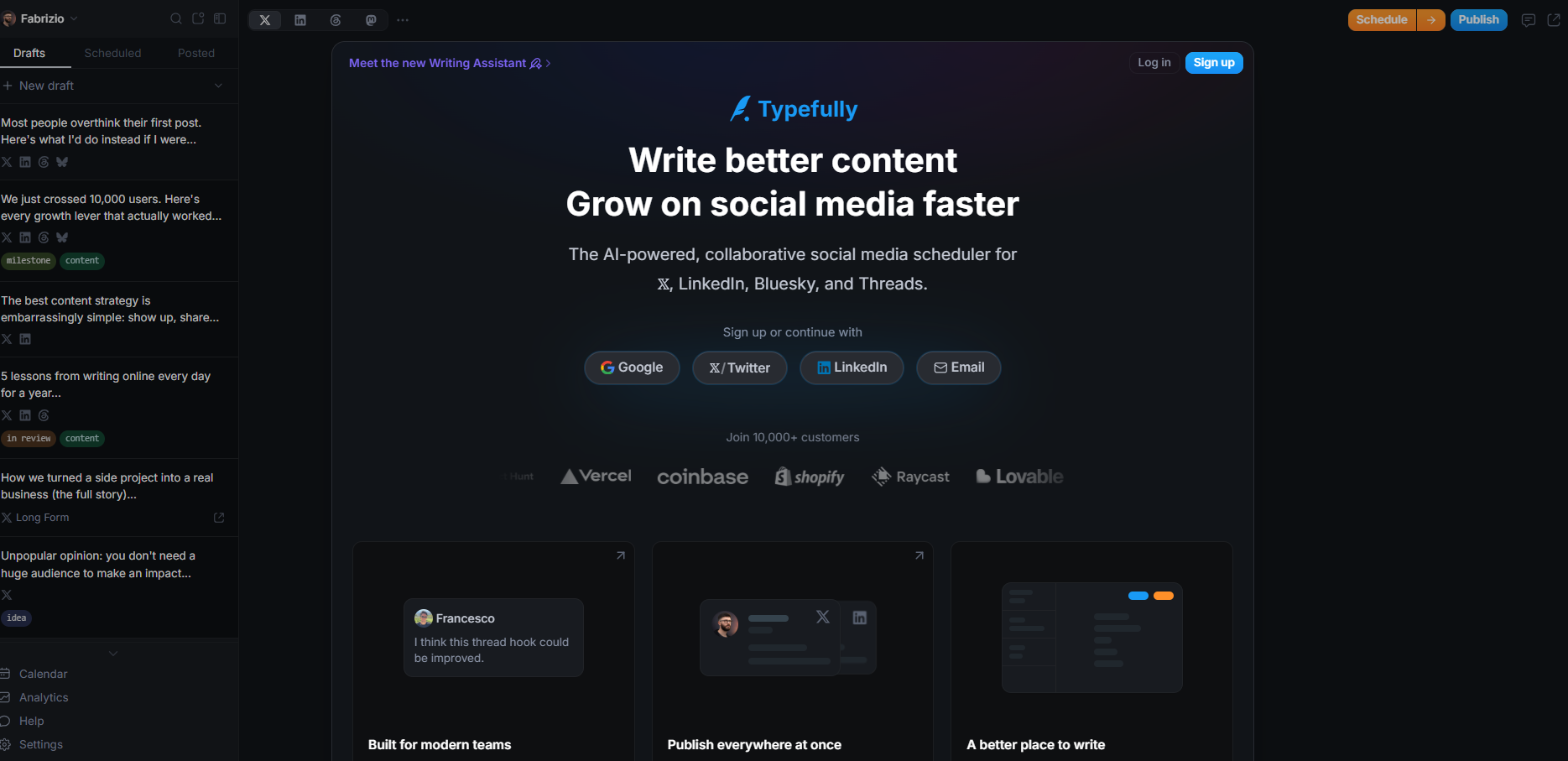
Typefully gives you a clean, focused editor. It supports writing and scheduling threads and short posts, and is built for people who already know what they want to say and want a calm writing environment. Their Writing Assistant can suggest ideas, but the core value is the drafting space itself.
Neither tool generates a finished post from your context in one click. You're still the writer.
Midday: Time to schedule and cross-post
Both tools handle this. Hypefury offers evergreen recycling, so older posts can re-enter rotation automatically. Typefully offers scheduling from a collaborative calendar dashboard and supports publishing to X, LinkedIn, Threads, and Bluesky.
If multi-network publishing matters, the two tools support different platforms, with Hypefury covering a wider range. If you want autopilot recycling of your best posts, Hypefury has that built in.
Afternoon: You want to engage and reply
This is where both tools get quiet. Hypefury and Typefully are publishing dashboards. They push content out. But the daily work of finding good conversations, reading the timeline for reply opportunities, and actually participating in threads? That's on you, in a separate tab, scrolling manually.
While Hypefury includes an engagement builder to help you reply to relevant accounts, neither tool generates contextual replies for you.
End of day: checking what worked
Typefully has built-in analytics to see how your posts performed. Hypefury provides engagement data too. Both give you a dashboard view. But since X's algorithm weighs reply engagement alongside other signals, neither tool tracks or supports that part of the work.
The Jobs Neither Tool Covers
Walk through enough days like the one above and a pattern emerges. Scheduling suites solve the publishing job. They don't solve the creation job or the engagement job.
Specifically, Hypefury and Typefully leave three gaps open:
- AI-assisted generation. Hypefury relies on templates, and Typefully offers AI writing assistance, though it operates in a separate dashboard.
- Reply discovery and generation. Hypefury offers an engagement builder to help find accounts to reply to, but neither tool generates contextual replies for you.
- In-feed workflow. Both tools are separate dashboards. You write in one tab, publish from another, and engage in a third. The context-switching adds friction to every session.
If your bottleneck is scheduling, either tool handles it. But if your bottleneck is creating on-voice content and showing up consistently in conversations, you need a different layer.
Ghosti vs Hypefury vs Typefully vs Tweet Hunter: side by side
Here is how Ghosti lines up against Hypefury and Typefully and Tweet Hunter on the dimensions that matter for reply-led growth on X. Every competitor fact below comes from the tool's own official site.
| Feature | Ghosti X | Hypefury | Typefully | Tweet Hunter |
|---|---|---|---|---|
| Type | Live generation agent | Social scheduling & automation suite | Social publishing & scheduling for X | All-in-one AI X growth tool |
| Writes in your voice | ✓ Yes, trained on your examples | — | — | ✓ |
| Generates replies for reply-led growth | ✓ Yes | ✓ | — | — |
| Builds full threads | ✓ Yes, Thread Studio | ✓ | ✓ | ✓ |
| Finds tweets worth replying to | ✓ Yes, Hunt Mode | ✓ | — | — |
| Works inside the X feed | ✓ Yes, native in the feed | — | — | — |
| BYOK — bring your own AI key | ✓ Yes | — | — | — |
| Starting price | $18.99/month | $29 / month (Starter; 7-day free trial) | Free plan; paid from $8 / month (Starter) | $49 / month (7-day free trial) |
Hypefury is a Social scheduling and automation suite that generates replies and builds threads.

Typefully is a Social publishing and scheduling for X that builds threads.
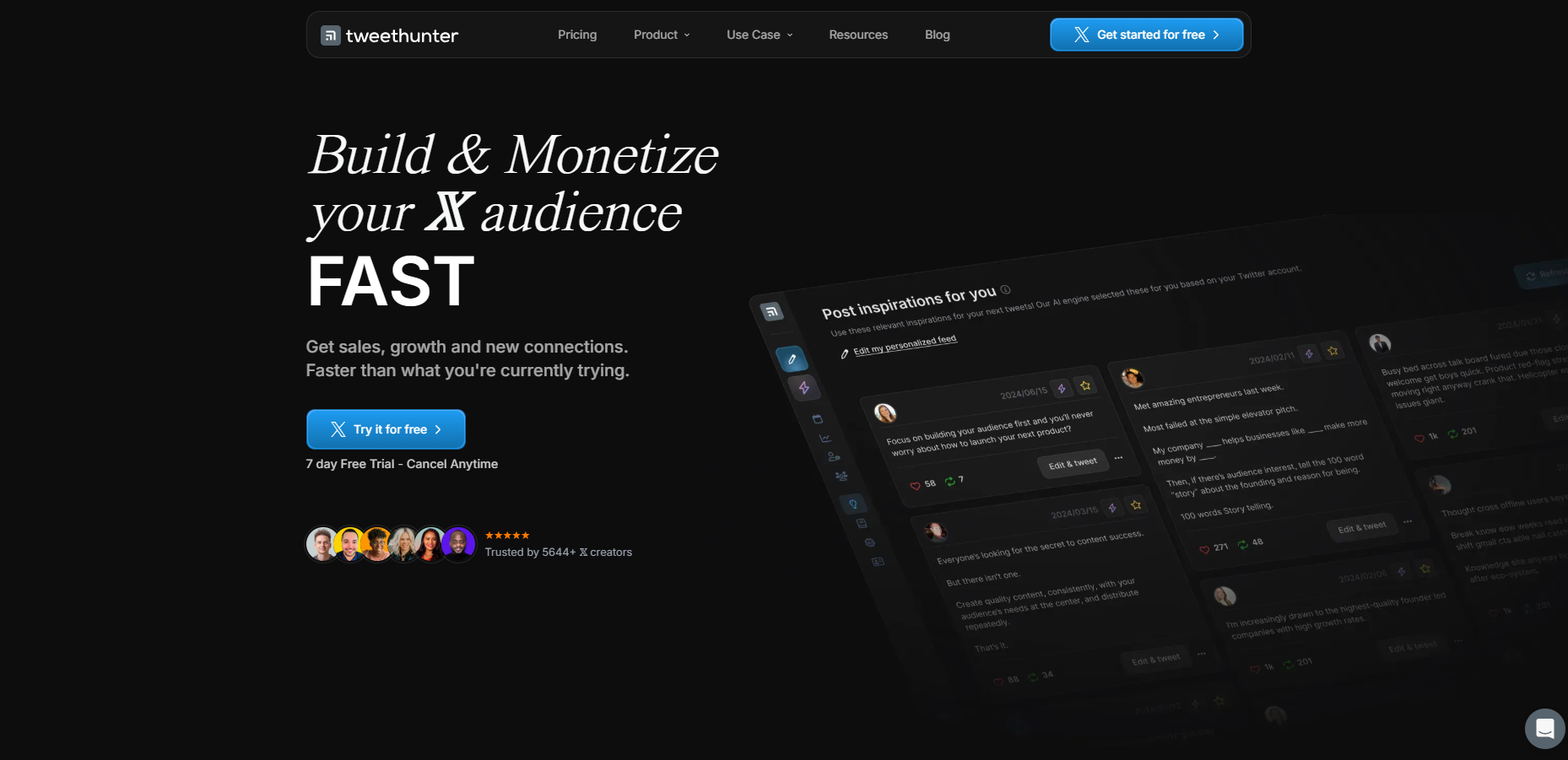
Tweet Hunter is an All-in-one AI X growth tool that builds threads. Pricing: $49 / month (7-day free trial).
The takeaway: Ghosti is the pick for creators who want posts, threads, and replies that sound like them, generated in one click right inside X, running on their own AI key.
Where Ghosti Fills the Gap
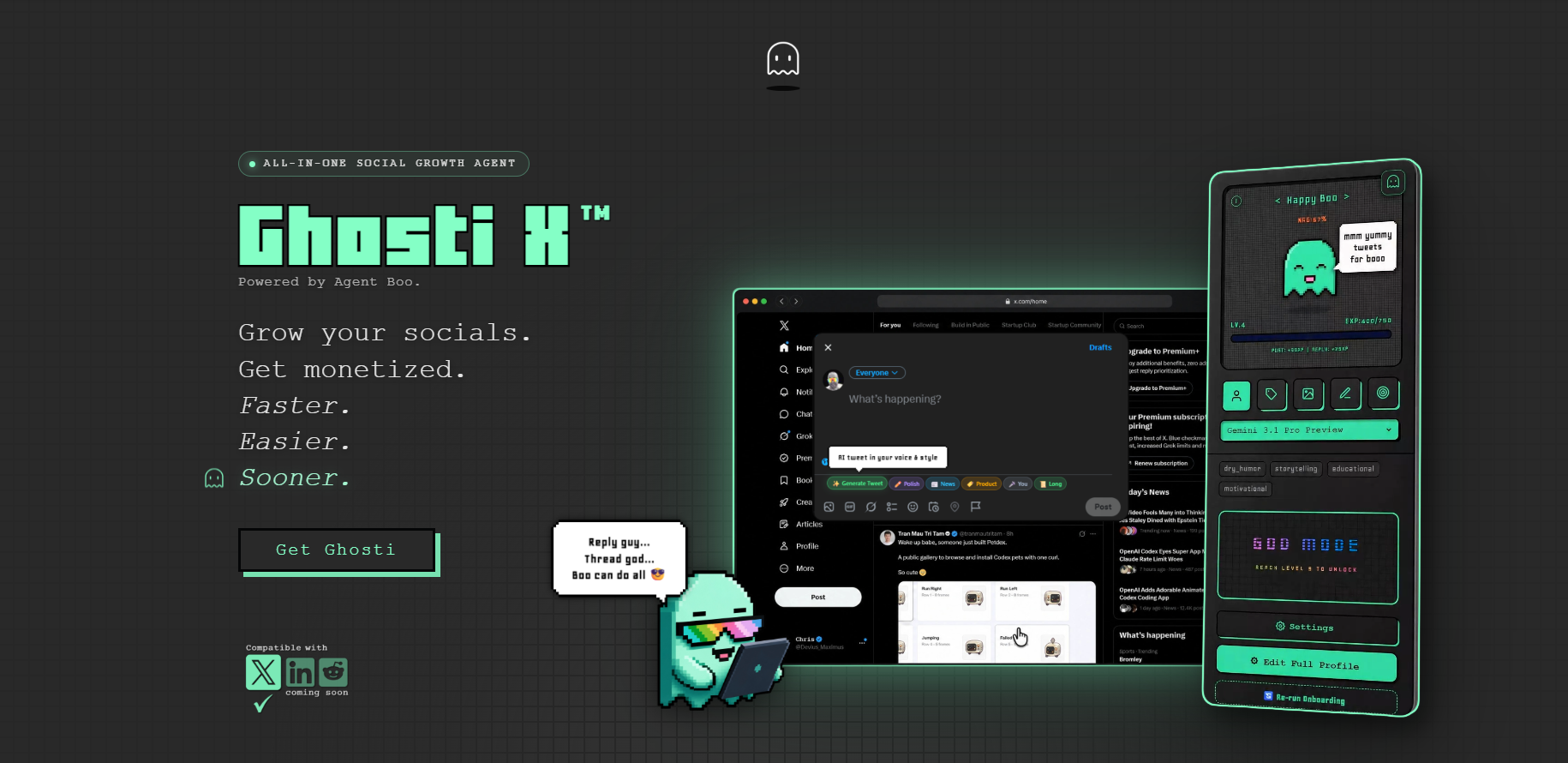
Ghosti is built for the creation and engagement jobs that other tools leave to you. It's a Chrome extension that works inside the X feed, so there's no separate dashboard and no copy-paste between tabs.
Ghost DNA learns from your examples, tone, topics, and rules, then generates posts that sound like you, not a template. One click inside the compose box produces a finished post in your voice. Thread Studio turns a topic into a multi-part thread. Reply Guy reads the context of a tweet and generates a reply matched to how you actually talk.
Hunt Mode surfaces the tweets in your niche that are worth replying to, so instead of scrolling the whole timeline hoping to find a good conversation, you see the opportunities filtered and ready. Pair it with Reply Guy and the daily reply habit described above becomes something you can actually sustain: two quick sessions, on-voice replies, minimal friction.
The Ghosti license runs $18.99/month or $49.99/year.
Boo, Ghosti's pixel-art agent, turns the consistency grind into a visible progress loop. Every post earns XP, Boo evolves through nine stages, and inactivity lets progress fade. It's a small thing, but it makes the daily habit stick in a way that a silent scheduler doesn't.
Ghosti doesn't replace a scheduler. It handles the work that happens before and between scheduled posts: coming up with what to say, writing it in your voice, and engaging with the conversations that grow your audience. Use it alongside whichever publishing tool fits your workflow.
How to Decide What You Actually Need
Skip the feature lists and ask three questions:
- Where do I get stuck? If it's scheduling and recycling evergreen content, a publishing suite handles that. If it's staring at a blank compose box or never engaging with the timeline, you need a creation and engagement layer.
- Do I write threads or short posts? If long-form threads are your main format, Typefully offers a polished editor that supports thread creation. If you want AI-generated threads without the manual drafting, Ghosti's Thread Studio does that inside the feed.
- How do I engage? If you're disciplined about manually finding and replying to relevant tweets every day, you might not need help. If that habit keeps dying after a week, Hunt Mode plus Reply Guy plus Boo's accountability loop is designed to make it stick.
Most creators on X who feel stuck aren't missing a scheduler. They're missing the voice, the ideas, and the daily engagement that compounds into growth. If that sounds like you, try Ghosti alongside your current tools and see how it fits. It works inside the feed, so there's nothing to migrate and nothing to unlearn.
Key takeaways
- Both publish well, but Hypefury leans on templates, Typefully gives you a focused drafting environment, and only Ghosti generates voice-matched posts and replies inside the feed.
- Creators widely observe that daily reply habits tend to be one of the highest-leverage growth activities on X.
- Ghosti fills the creation and engagement gap with AI-assisted generation, an in-feed one-click workflow, and Hunt Mode for discovering conversations worth joining.
- The best setup for most creators is a scheduling tool for publishing combined with Ghosti for creation and engagement inside the feed.
Frequently asked questions
Can I use Ghosti alongside Hypefury or Typefully?
Yes. Ghosti works inside the X feed for content creation and engagement, while your scheduler handles publishing. They solve different jobs and work well together.
Does Ghosti work as a scheduling tool?
No. Ghosti is an AI content tool that works inside the X feed, but it doesn't schedule or queue content for later. Pair it with a scheduling tool if you need timed publishing.
What does BYOK mean and why does it matter?
BYOK (bring your own key) means you connect your own AI provider API key so you can choose which model powers your content generation.
Sources
- X For You Feed Algorithm (open source) (accessed July 4, 2026)
- X automation rules and policies (accessed July 4, 2026)
- Hypefury (official site) (accessed July 4, 2026)
- Typefully (official site) (accessed July 4, 2026)
- Tweet Hunter (official site) (accessed July 4, 2026)
Editorially reviewed by Chris, Ghosti Founder on .