

Best Twitter
Growth Chrome
Extensions in 2026
Published · Last updated
The Chrome Web Store has more X growth extensions than ever, and somehow most creators are still copying output from ChatGPT in a separate tab and pasting it into the compose box. The tools exist. The friction hasn't gone anywhere.
That gap is the real question behind "twitter growth chrome extension." You are not just looking for features. You are looking for the extension that disappears into the way you already use X, so you actually stick with it past day three. That is harder than it sounds, and the wrong pick usually means another unused extension collecting dust in chrome://extensions.
We build Ghosti, so our recommendation carries that bias. But the evaluation framework below works for any extension, and the strategy section is useful whether you install anything or not.
Why most X extensions get uninstalled in a week
There are roughly three categories of Twitter growth Chrome extension. Bulk-action tools commonly described as automating follows and likes. Analytics overlays that show you data but don't help you create anything. And AI content tools that generate posts or replies.
The first category is the riskiest. X's automation policy explicitly prohibits non-API-based scripting of the X website and warns it can result in permanent suspension. Spammy or duplicative automated engagement, unsolicited automated mentions at scale, these are all called out. Bulk-action bots sit squarely in that zone.
The second category, analytics overlays, solves a real problem but a different one. Seeing your numbers does not help you write the next post. If your bottleneck is creation, not measurement, an analytics extension treats the wrong symptom.
That leaves AI content extensions. And here the split matters: does the tool generate inside the feed where you already work, or does it pull you into a separate dashboard? That single difference determines whether you use it 50 times or twice.
The reply loop that actually compounds followers
Before comparing tools, you need the strategy the tool is supposed to execute. Without it, you are grading features in a vacuum.
X has shared code related to its For You recommendation algorithm. Creators widely observe that engagement actions, replies, reposts, profile clicks, and time spent reading a post, tend to influence how the algorithm ranks content in the feed.
A standalone post reaches your existing audience. A reply reaches someone else's. Say a founder with 15k followers posts about pricing strategy. Two hundred people scroll the replies. If yours is one of five that says something specific and non-obvious, those readers are pre-qualified. They care about your niche. They are already paying attention. That is a better audience than most standalone tweets ever reach.
What separates a reply that converts from one that doesn't
Creators widely observe that the X algorithm tends to favor posts that generate dwell time, profile clicks, and replies. In practice, a reply that makes someone pause and tap your profile name tends to align with those patterns. "Great post!" does not pause anyone. A specific, slightly contrarian observation does.
Shape it like this: lead with one non-obvious claim. Back it with a single concrete detail. Stop. No praise. No link.
A 20k-follower SaaS founder shares a churn analysis. Instead of "interesting data," try: "That 90-day churn cliff usually means the activation metric is wrong, not the product. Did you check which feature separates retained users from churned ones at day 14?" That reads as its own post. It is specific to their situation. Their audience of other founders will tap through to see who wrote it.
Picking which conversations to reply to
Not every reply opportunity is equal. Many creators find that mid-sized accounts, roughly a few times your own follower count, whose followers overlap heavily with your ideal audience, are the highest-converting reply targets. A 10k-follower developer in your niche tends to be better than a 300k-follower tech commentator whose audience is too broad to convert into your followers.
Keep a short list. Fifteen to thirty accounts your ideal followers already read. Reply where you have a genuine angle, something only your background or perspective lets you say. Skip the rest.
By most accounts, timing matters too. A reply posted within the first hour, while the thread is still active and near the top, gets significantly more visibility than one buried under eighty existing replies twelve hours later.
The cadence that sticks
Experienced creators tend to settle on two short windows a day. Fifteen to twenty minutes each. Enough for a handful of specific replies concentrated on your target list while their posts are fresh.
The number of replies matters less than doing it every day. Five strong replies daily for three weeks beats forty in one burst followed by silence. Pin it to something you already do. Morning coffee. End of workday. Whatever survives a busy week.
Here is the part that kills most reply routines: the writing. You see the tweet, you know your angle, and the words come out flat. Or three sentences take five minutes. That daily friction is exactly what a Chrome extension should solve. Most of them do not.
Four things that separate a useful extension from a shiny one
With the strategy clear, you can evaluate any Twitter growth Chrome extension against the job it needs to do: find the right conversation, write something worth reading in your voice, and sustain the habit.
Voice depth, not templates
The biggest problem with AI-generated content on X is not that it is AI. It is that it all sounds the same. Extensions trained on libraries of viral tweets converge on one interchangeable tone. If your replies read like everyone else's AI output, nobody taps your profile.
Look for an extension that trains on YOUR examples, your rules, your tone, your products. Not one that remixes a "top-performing tweet" database.
In-feed generation
If you have to leave X, open a dashboard, write the reply, copy it, switch back, and paste it into the reply box, you will not do it fifteen times a day. The friction kills the habit. An extension that works where you already are, inside the feed, removes the step that makes people quit.
Reply discovery
Scrolling your entire timeline hunting for the right tweet to reply to eats twenty minutes before you write a single word. An extension that surfaces conversations worth joining, filtered by relevance, turns a long scroll into a focused session.
BYOK over bundled credits
Some extensions bundle their own AI and meter it with daily credits or monthly generation caps. That works until you hit the wall at 10am. BYOK (Bring Your Own Key) is a model where you use your own API key instead of the extension's bundled credits. Extensions that support BYOK generally let you choose your preferred AI model and avoid the daily generation caps that come with bundled credit systems.
How Ghosti fits this loop
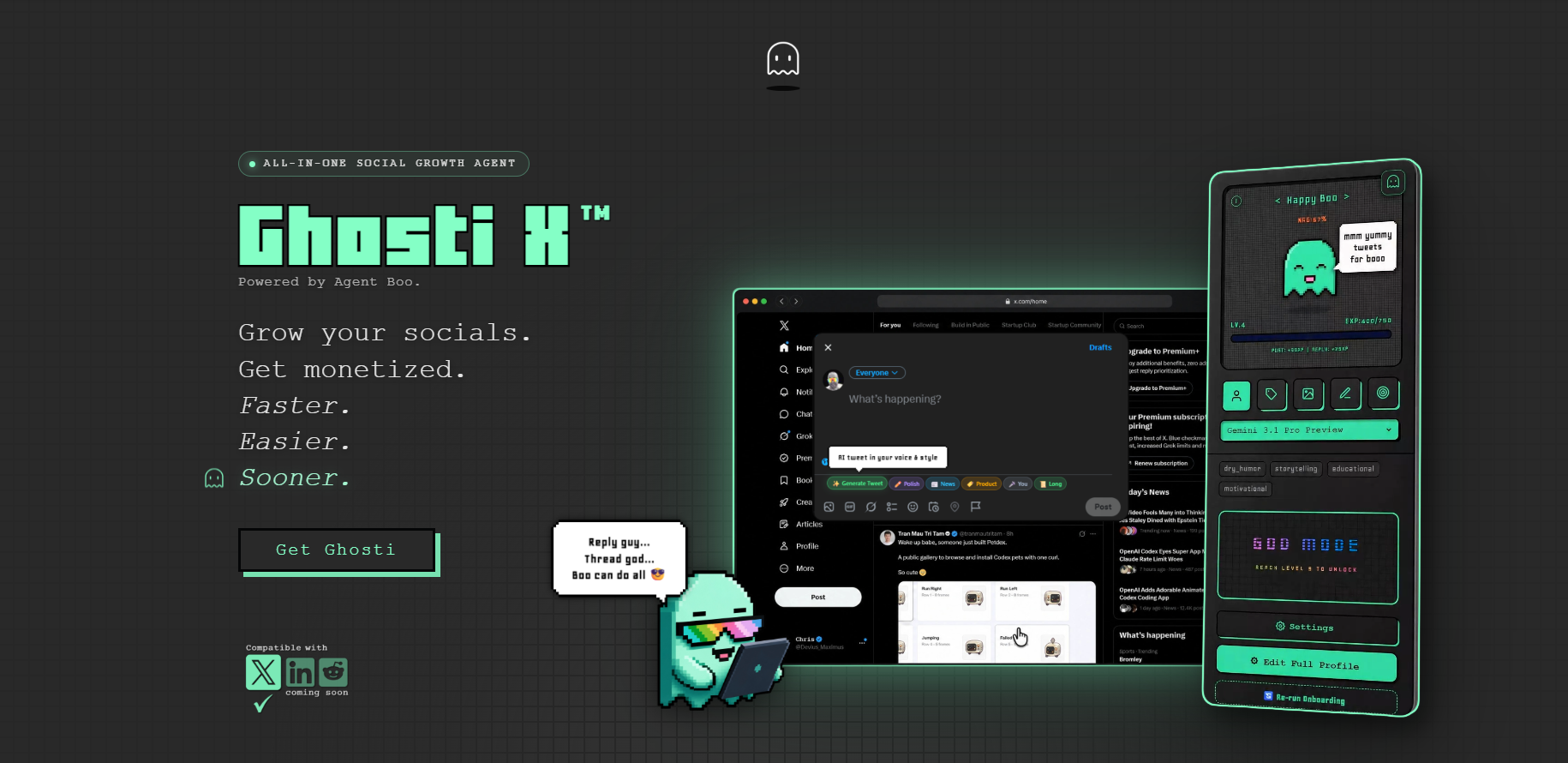
Ghosti is a Manifest V3 Chrome extension built for X. It generates posts, replies, and full threads in your voice, right inside the feed, in one click. No separate app. No copy-paste workflow.
The core is Ghost DNA, Ghosti's voice training system. You provide your bio, tone, example posts, products, and custom rules during setup. Everything Ghosti generates starts closer to how you actually write, not how a generic model thinks tweets should sound.
For the reply loop specifically:
- Hunt Mode surfaces the tweets worth replying to, so your focused window goes to relevant conversations instead of scrolling.
- Reply Guy reads the context of the post and generates a reply in your voice. You review, adjust if needed, and post. The whole cycle takes seconds.
Thread Studio turns a topic into a multi-part thread. You pick the post count, review each one, and use it. The standalone post generator handles original tweets from your interests, niche, and saved context.
Ghosti supports BYOK (Bring Your Own Key). The license is $18.99/mo or $49.99/yr.
Then there is Boo, Ghosti's AI agent mascot with an XP and leveling system that tracks your posting consistency. Creating and posting earns XP. Boo evolves through nine stages. Inactivity lets progress fade. It sounds small until you notice you posted every day this week because you didn't want your streak to drop.
Ghosti needs no X password and makes no third-party connection to your account. It runs inside the browser where you are already logged in.
Ghosti vs SuperX vs Tweet AI vs Teract: side by side
Here is how Ghosti lines up against SuperX and Tweet AI and Teract on the dimensions that matter for reply-led growth on X. Every competitor fact below comes from the tool's own official site.
| Feature | Ghosti X | SuperX | Tweet AI | Teract |
|---|---|---|---|---|
| Type | Live generation agent | In-X engagement & scheduling suite | AI tweet & reply generator | AI reputation coach (8 platforms) |
| Writes in your voice | ✓ Yes, trained on your examples | ✓ | ✓ | ✓ |
| Generates replies for reply-led growth | ✓ Yes | ✓ | ✓ | ✓ |
| Builds full threads | ✓ Yes, Thread Studio | ✓ | ✓ | — |
| Finds tweets worth replying to | ✓ Yes, Hunt Mode | ✓ | — | ✓ |
| Works inside the X feed | ✓ Yes, native in the feed | ✓ | ✓ | ✓ |
| BYOK — bring your own AI key | ✓ Yes | — | — | — |
| Starting price | $18.99/month | — | Free plan; paid from $8.25 / month (billed yearly) | Free (10 gens); Creator $14.99/mo; Pro $29.99/mo |
SuperX is an in-X engagement and scheduling suite that writes in your voice, generates replies and builds threads.

Tweet AI is an AI tweet and reply generator that writes in your voice, generates replies and builds threads. Pricing: Free plan; paid from $8.25 / month (billed yearly).

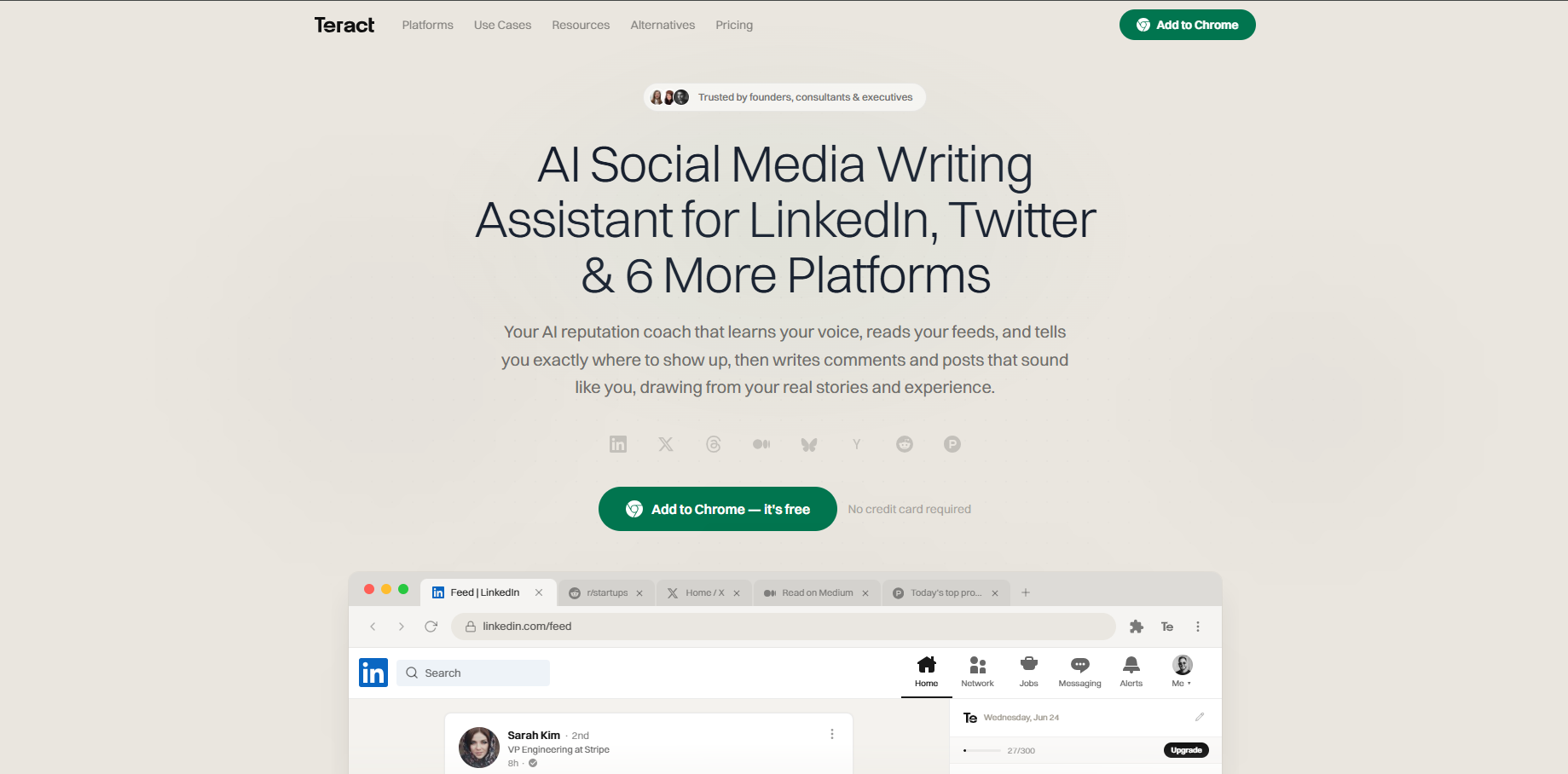
Teract is an AI reputation coach covering eight platforms that writes in your voice and generates replies. Pricing: Free (10 gens); Creator $14.99/mo; Pro $29.99/mo.
The takeaway: Ghosti is the pick for creators who want posts, threads, and replies that sound like them, generated in one click right inside X, running on their own AI key.
Your first two weeks with a growth extension
An extension removes friction. It does not replace the strategy. Here is how to make the first two weeks count with Ghosti or any voice-trained, in-feed extension:
- Set up your voice profile on day one. Give it five to ten example posts that represent your best writing. Add your niche, products if you have them, and rules you care about ("no emoji walls," "always cite specifics," "never open with a question"). More context means less editing on every generation.
- Build a reply target list. Fifteen to thirty accounts whose followers overlap with the people you want to reach. Keep it somewhere you will actually check daily.
- Block two focused windows into your calendar. Morning and late afternoon tend to catch fresh posts. Open X, find the conversations (Hunt Mode does this in Ghosti), generate the reply, sharpen it, post. Aim for ten to fifteen replies per session.
- Generate one or two original posts a day. Use the post generator for standalone tweets. Run a thread once or twice a week. A strong profile is what converts the profile clicks from your replies into follows.
- Check X analytics weekly. Track profile visits and new follows, not reply likes. A reply with two likes but four profile clicks did its job. A popular one with zero profile clicks did not.
Tip: Do not chase volume. Five focused replies to the right accounts will outperform thirty scattered across the timeline. The strategy is targeting plus voice. The extension makes it fast enough to sustain.
Tracking what matters over weeks, not days
Reply-led growth is a slow-compounding channel. Judging it day by day will make you abandon a working strategy too early.
Track these numbers over a two-to-four-week window in X analytics: profile visits, new follows, and whether specific accounts start recognising you and replying back. Those are the signals the loop is working. Individual reply likes are noise.
Review monthly. Double down on the accounts and angles that moved profile visits. Drop the ones that didn't. Adjust your reply targets and your voice profile rules based on what you learned.
The extension that wins is the one you actually use every day for weeks. If it sounds like you, works where you already are, and removes just enough friction to keep the habit alive, it is doing its job. Try Ghosti and see whether the in-feed workflow fits the way you already use X.
Key takeaways
- Creators widely observe that replies, dwell time, and profile clicks tend to influence how X's algorithm surfaces content. Building a reply habit leans into the engagement patterns that experienced creators find most effective.
- The best Twitter growth Chrome extension generates content in your trained voice, works inside the X feed, discovers reply-worthy conversations, and runs on your own AI key with no daily caps.
- Target mid-sized accounts whose followers overlap with your ideal audience. Fifteen to thirty accounts, two focused windows a day.
- Measure profile visits and follows over weeks, not individual reply likes. A reply that sends three people to your profile beat one that got fifty likes and zero clicks.
Frequently asked questions
Do Twitter growth Chrome extensions risk getting your account suspended?
It depends entirely on what the extension does. The behaviours <a href="https://help.x.com/en/rules-and-policies/x-automation">X's automation policy</a> names are the ones to steer clear of: bulk follows, mass likes, and scripted replies fired at strangers all sit in that zone. A writing extension is a different animal, it produces the text, and the post still goes out from X the way it always did. Ghosti asks for no X password at all.
What is BYOK and why does it matter for an X growth extension?
BYOK stands for Bring Your Own Key. Instead of relying on the extension's bundled AI credits, which often come with daily caps or monthly limits, you use your own API key from your preferred AI provider. This generally means you choose the model and pay the provider directly, avoiding generation limits set by the extension. Ghosti supports BYOK so you control both cost and model choice.
Can Ghosti generate full Twitter threads or only single tweets?
Yes. Thread Studio lets you enter a topic and choose the number of posts. Ghosti generates the full thread for you to review and publish from the sidebar. Thread generation is one of Ghosti's primary features alongside standalone post generation and Reply Guy.
Sources
- X automation rules (accessed September 6, 2026)
- X open-source recommendation algorithm (For You feed) (accessed September 6, 2026)
- SuperX (official site) (accessed September 6, 2026)
- Tweet AI (official site) (accessed September 6, 2026)
- Teract (official site) (accessed September 6, 2026)
Editorially reviewed by Chris, Ghosti Founder on .